
How to find and join a challenge

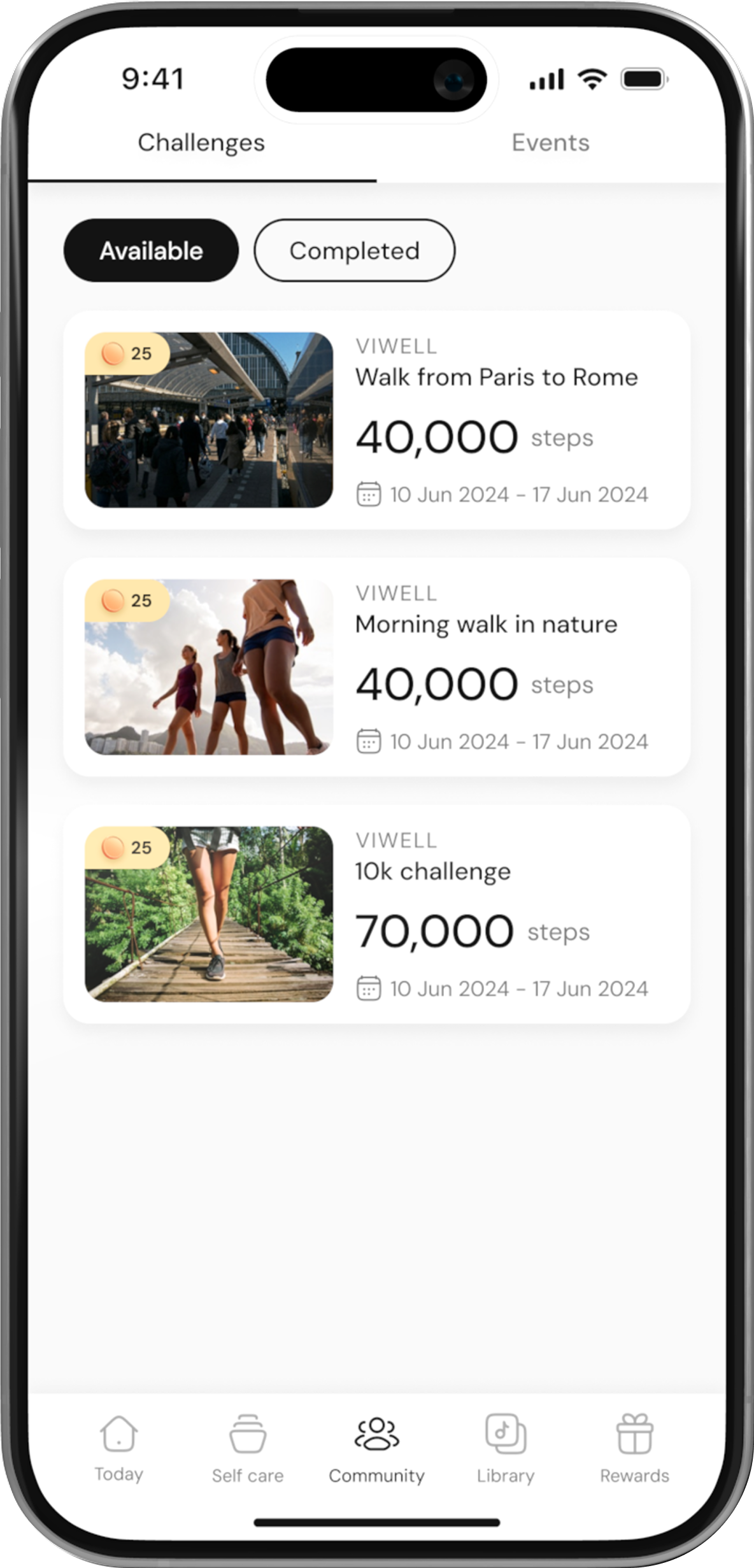
Go to the Community Page
Open the app and navigate to the Community page from the main menu.
Browse Available Challenges
On the Community page, you will see a list of available challenges that you can join. Scroll through to find one that interests you.
Select a Challenge
Once you find a challenge you’d like to join, click on it to open the Challenge Details page.
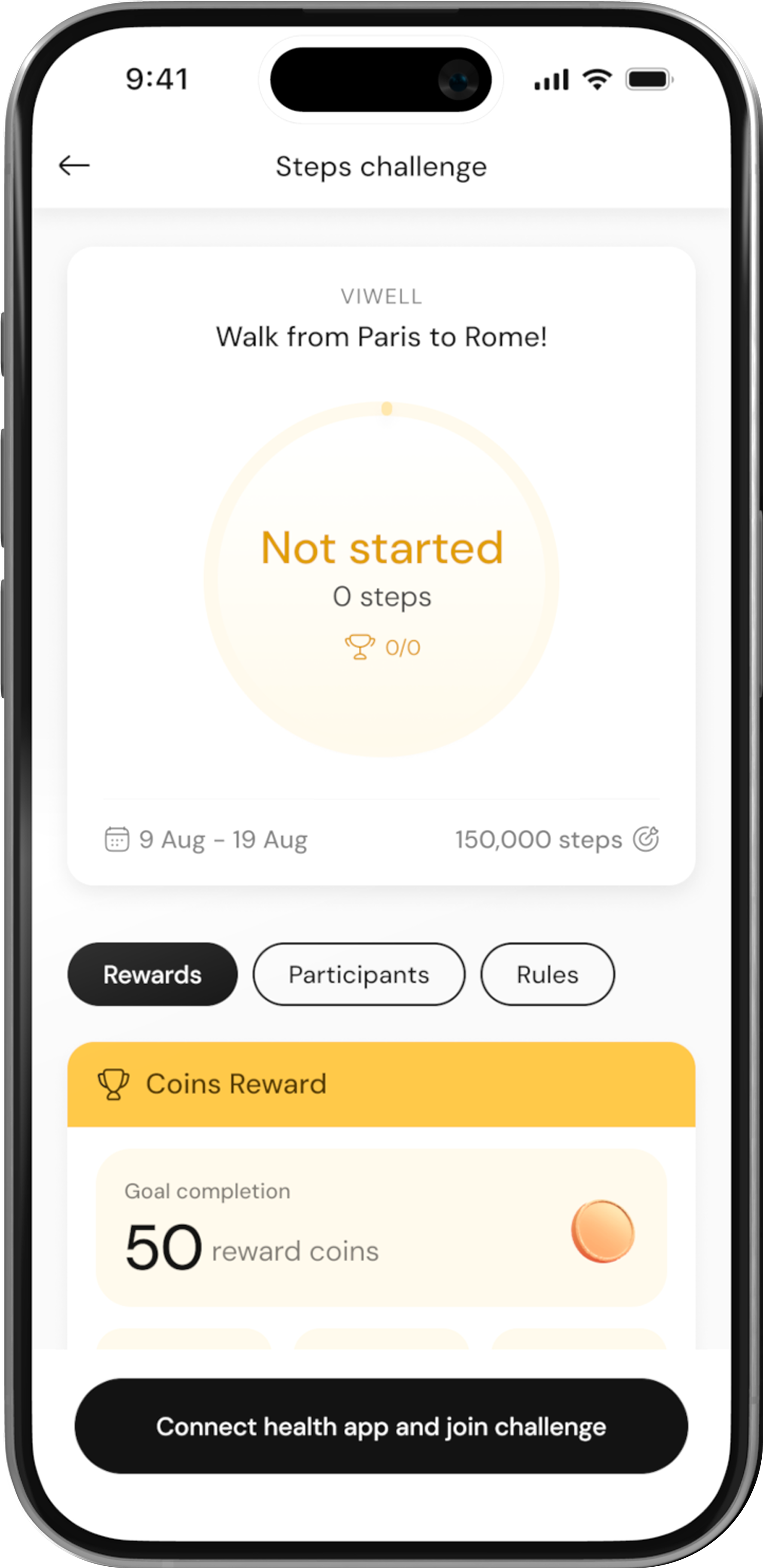
View Challenge Information
On the Challenge Details page, you can see important information such as the challenge title, description, start and end dates, and the goal to complete.
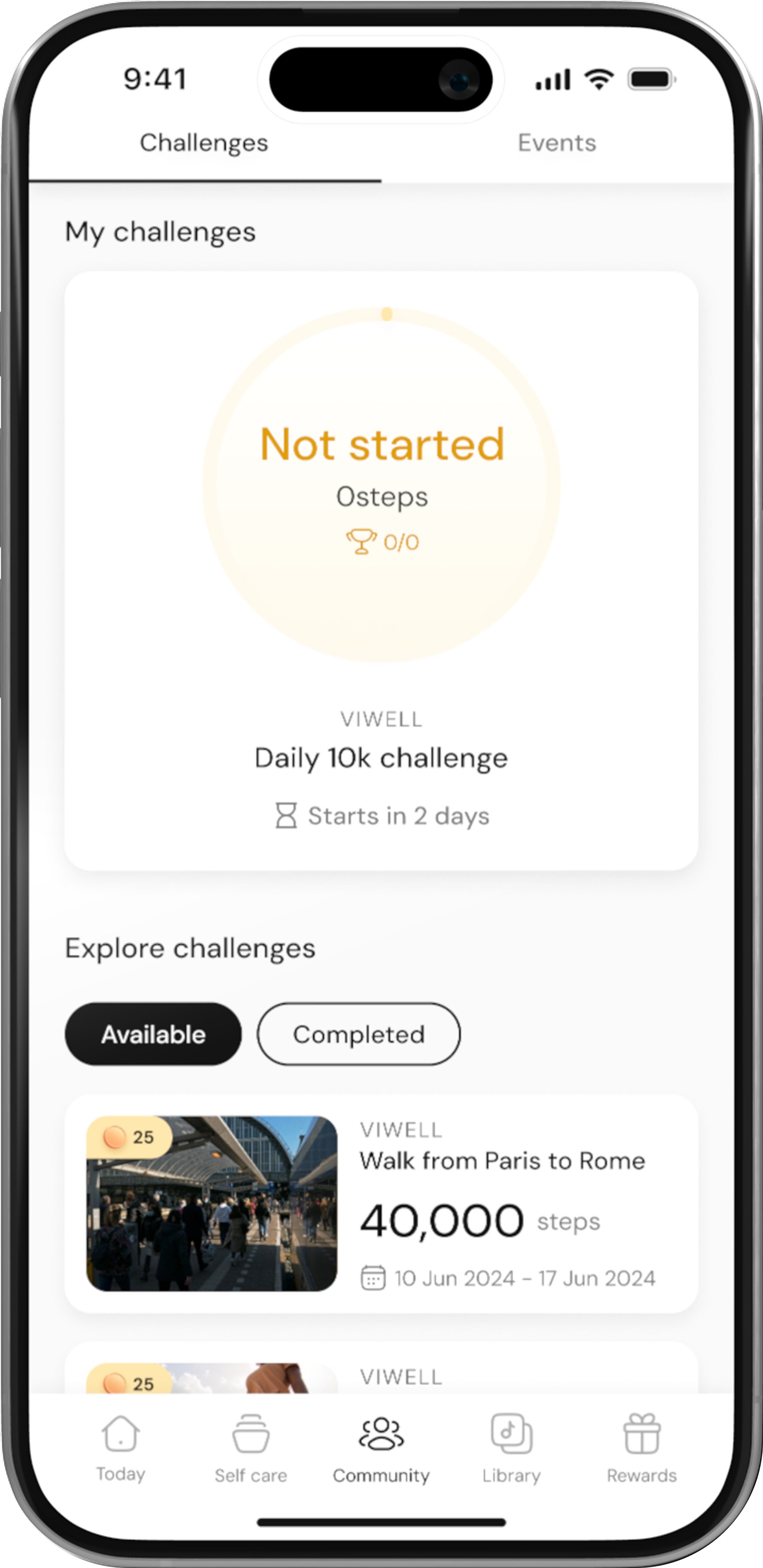
Click on “Join Challenge”
After reviewing the challenge details, click on the Join Challenge button to join the challenge. This will add the challenge to your My Challenges section.
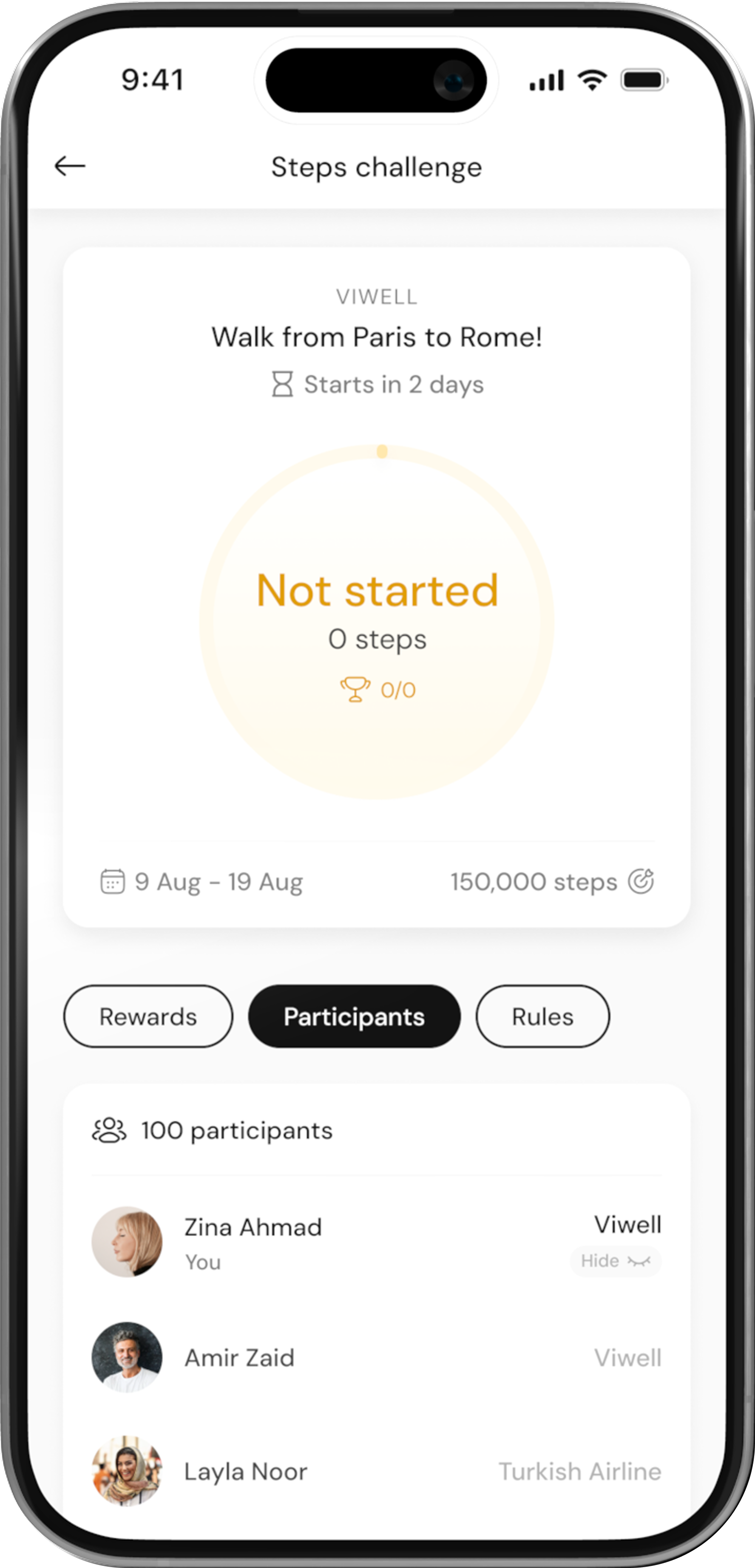
Access Your Joined Challenge
Once you’ve joined, go to the Community page again and scroll to the top to find My Challenges. Your active challenge will be listed there.
