
How to see your progress in a challenge and sync steps

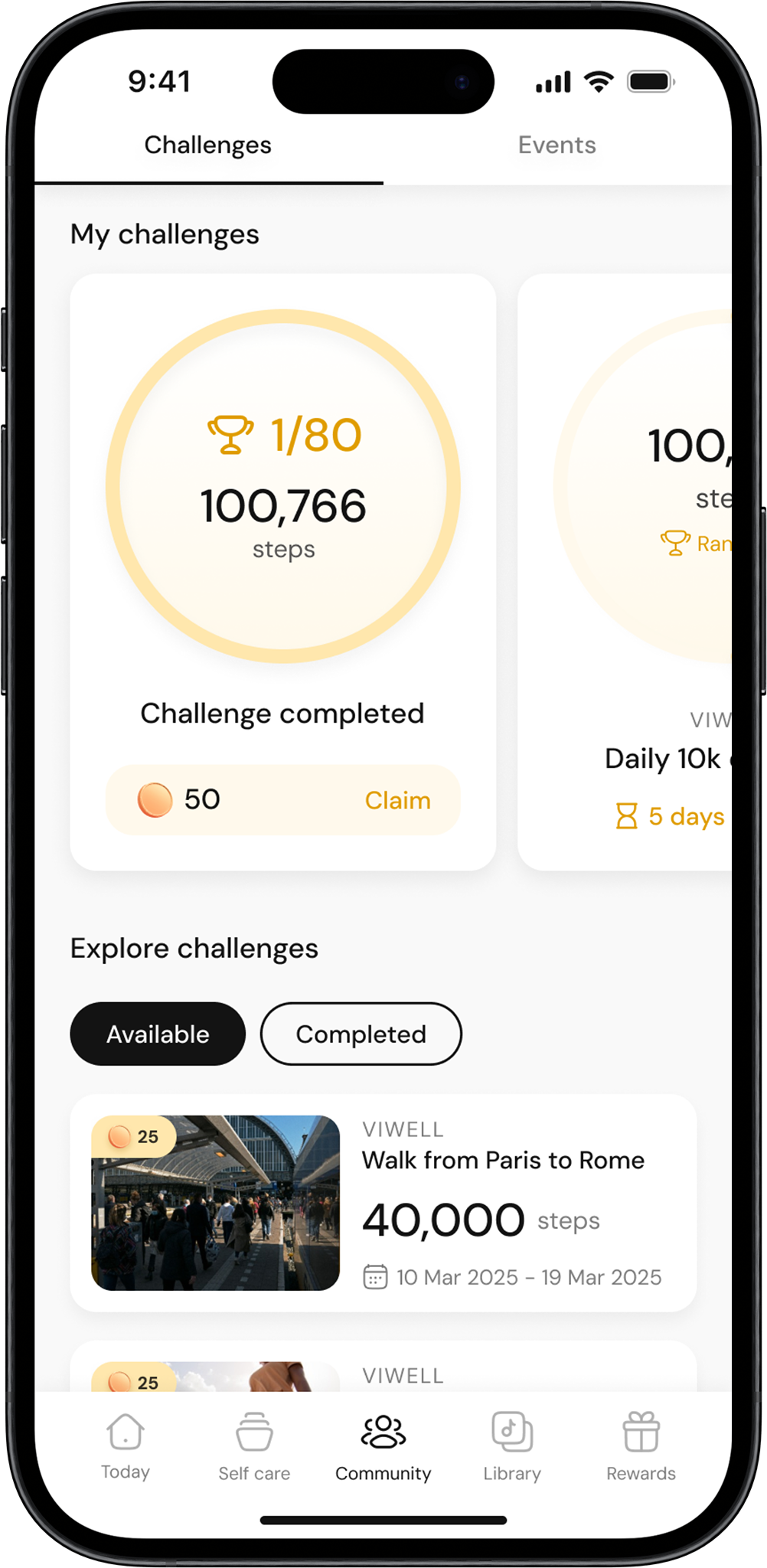
Go to the community page
Open the app and navigate to the Community page from the main menu.
Go to my challenges
On the Community page, scroll to the My Challenges section at the top. This is where you’ll find all the challenges you’ve joined.
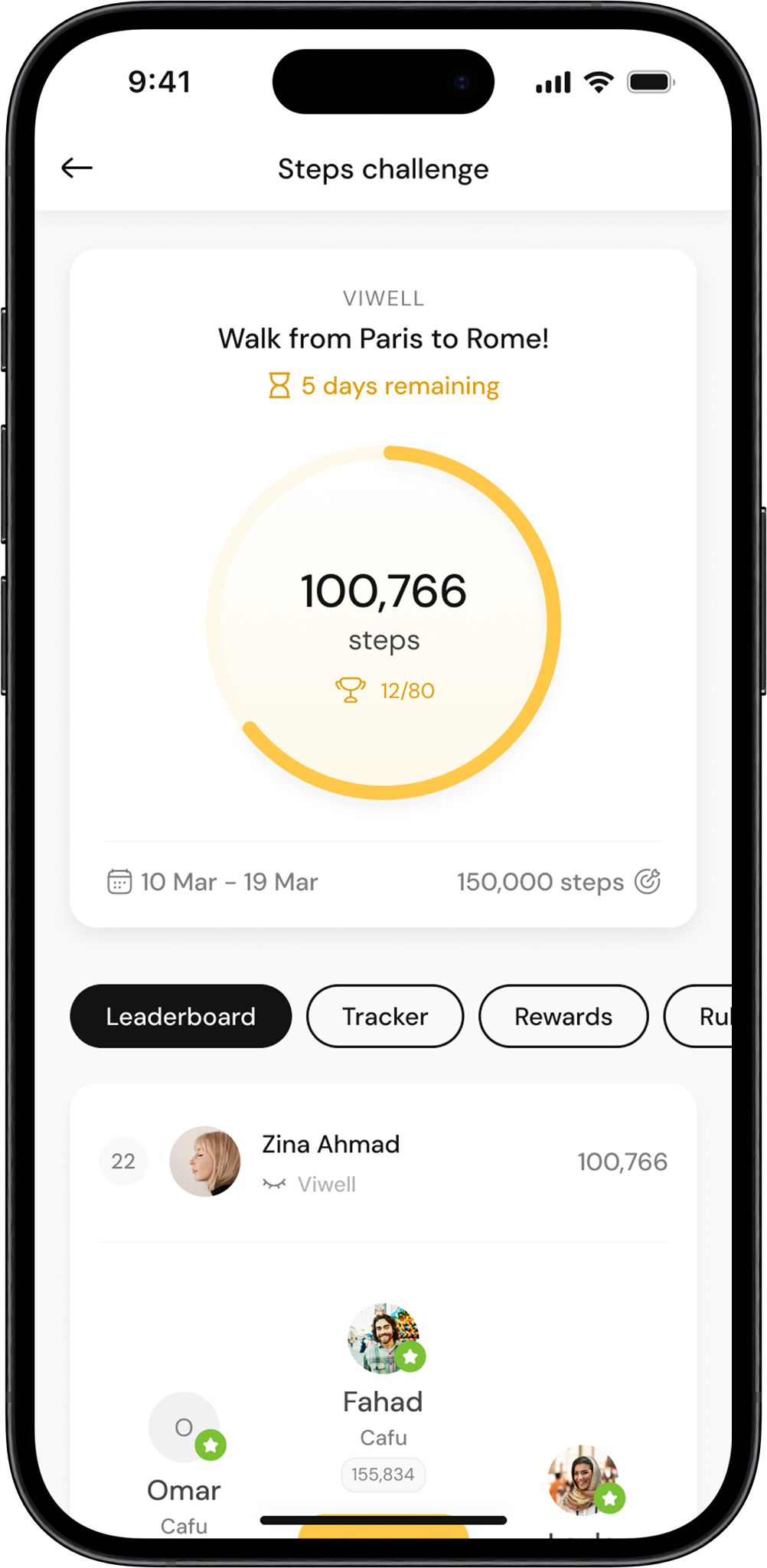
Select the challenge
Click on the challenge you want to track. This will open the Challenge Details page.
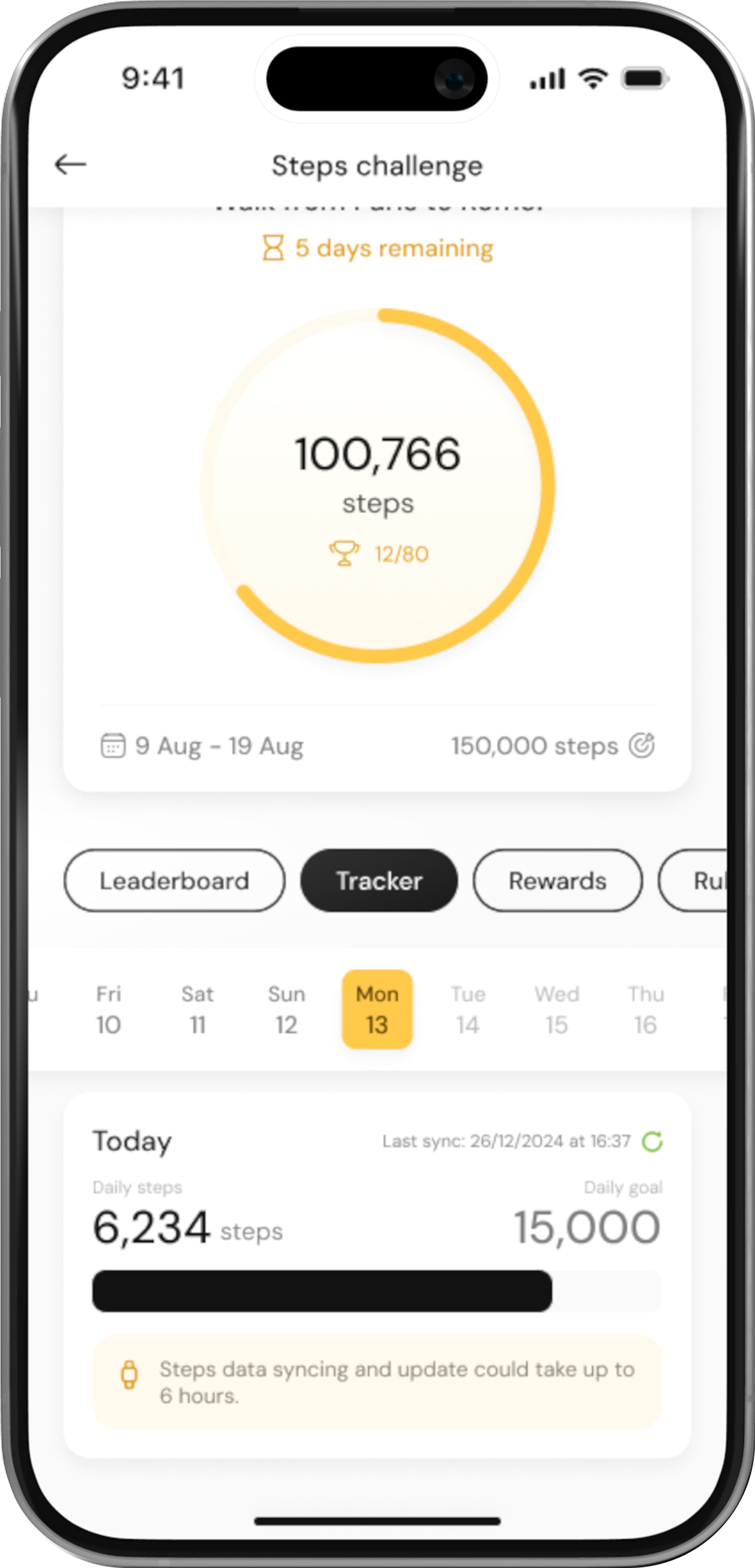
Go to the tracker tab
Once in the challenge details, click on the Tracker tab to view your step progress.
View your daily steps
In the Tracker tab, you’ll see a breakdown of your daily steps and total steps towards the challenge goal.
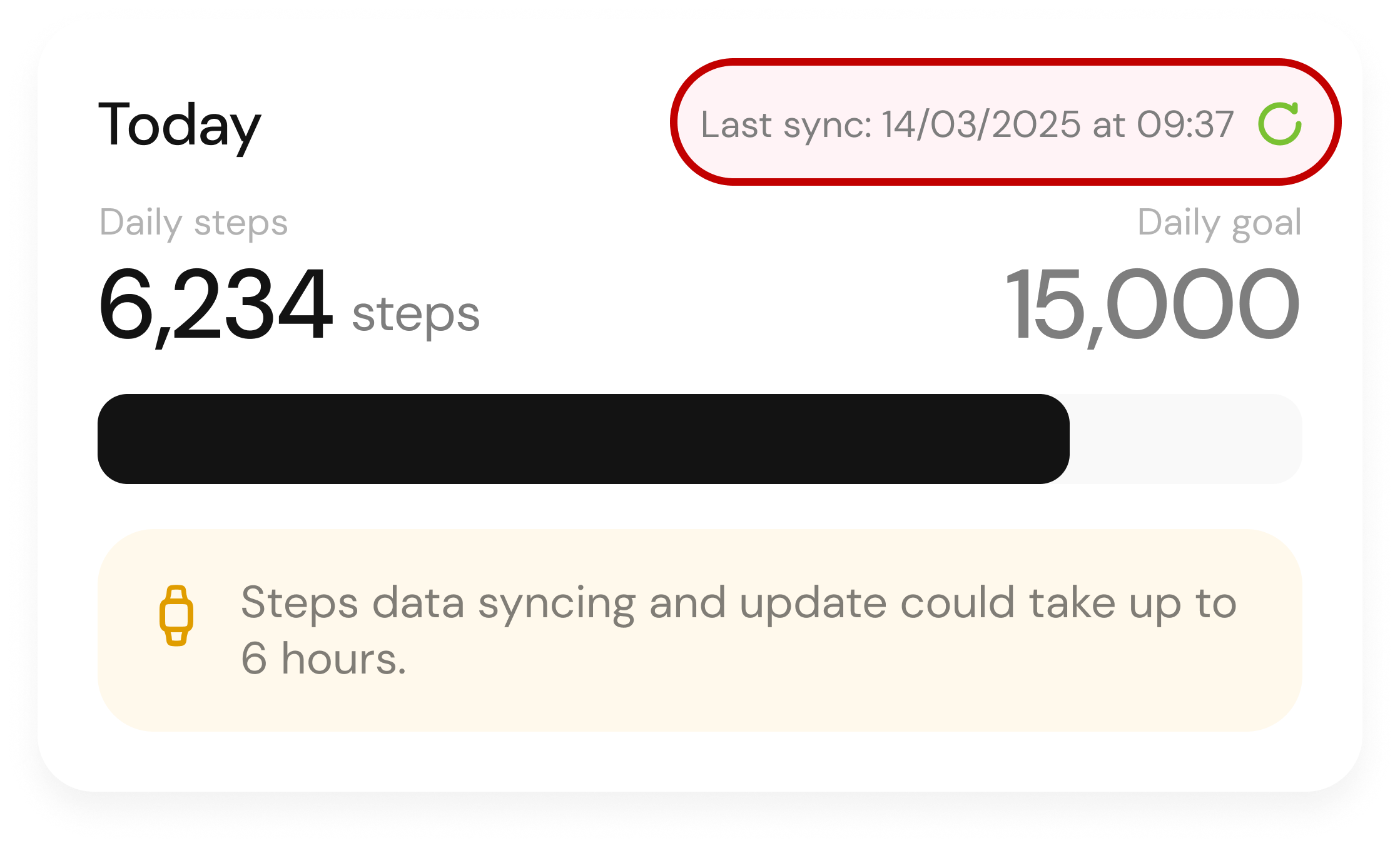
Check last sync date
Below your steps, you’ll see the Last Sync date, which indicates when your step data was last updated.
Sync Your Steps
If your steps aren’t up to date, click on the Refresh button to sync with the latest count. This will update your steps to reflect the most recent data.
