
Set goals

How to Set Your Goals
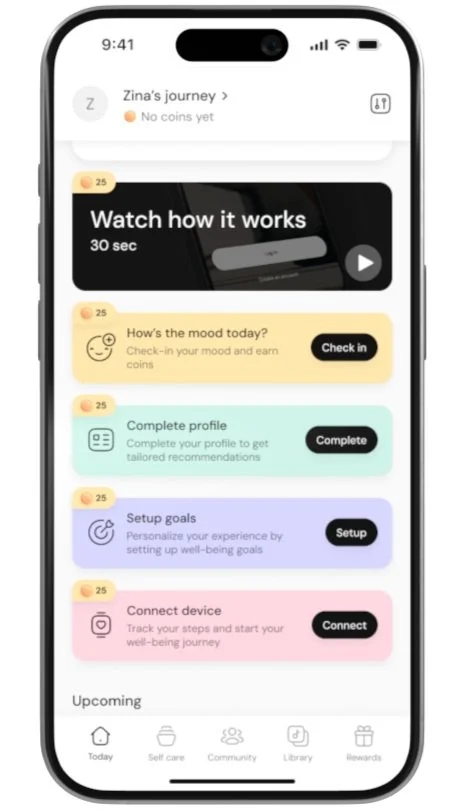
Click on Your Account Name
Tap on your Account Name in the app to access your wellbeing journey.
Go to the Goals Section
In the wellbeing journey page, click on the Goals.
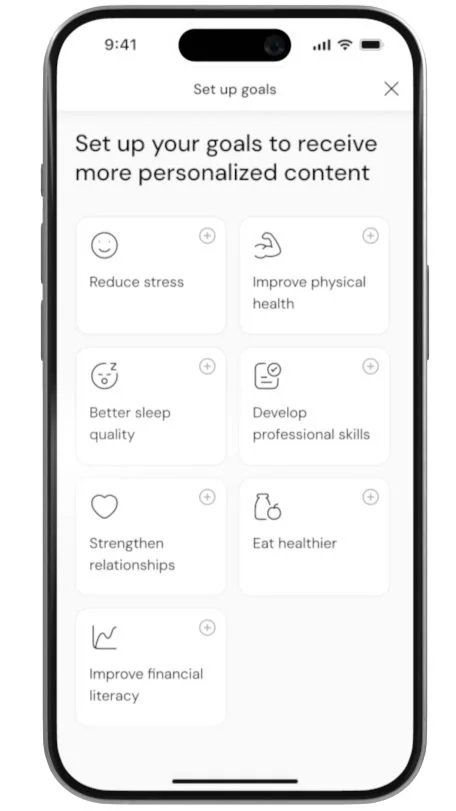
Choose Your Goals
Select one or multiple goals that you would like to set for yourself.
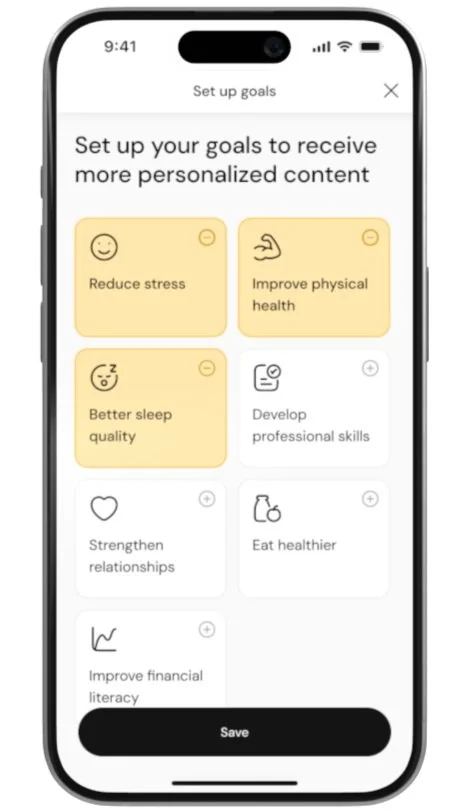
Save Your Goals
After choosing your goals, tap Save to confirm and set your goals.
