
How to manage employees

Monitor which employees have access to your app and deactivate those who no longer need it, ensuring your dashboard remains up-to-date.
Step 1
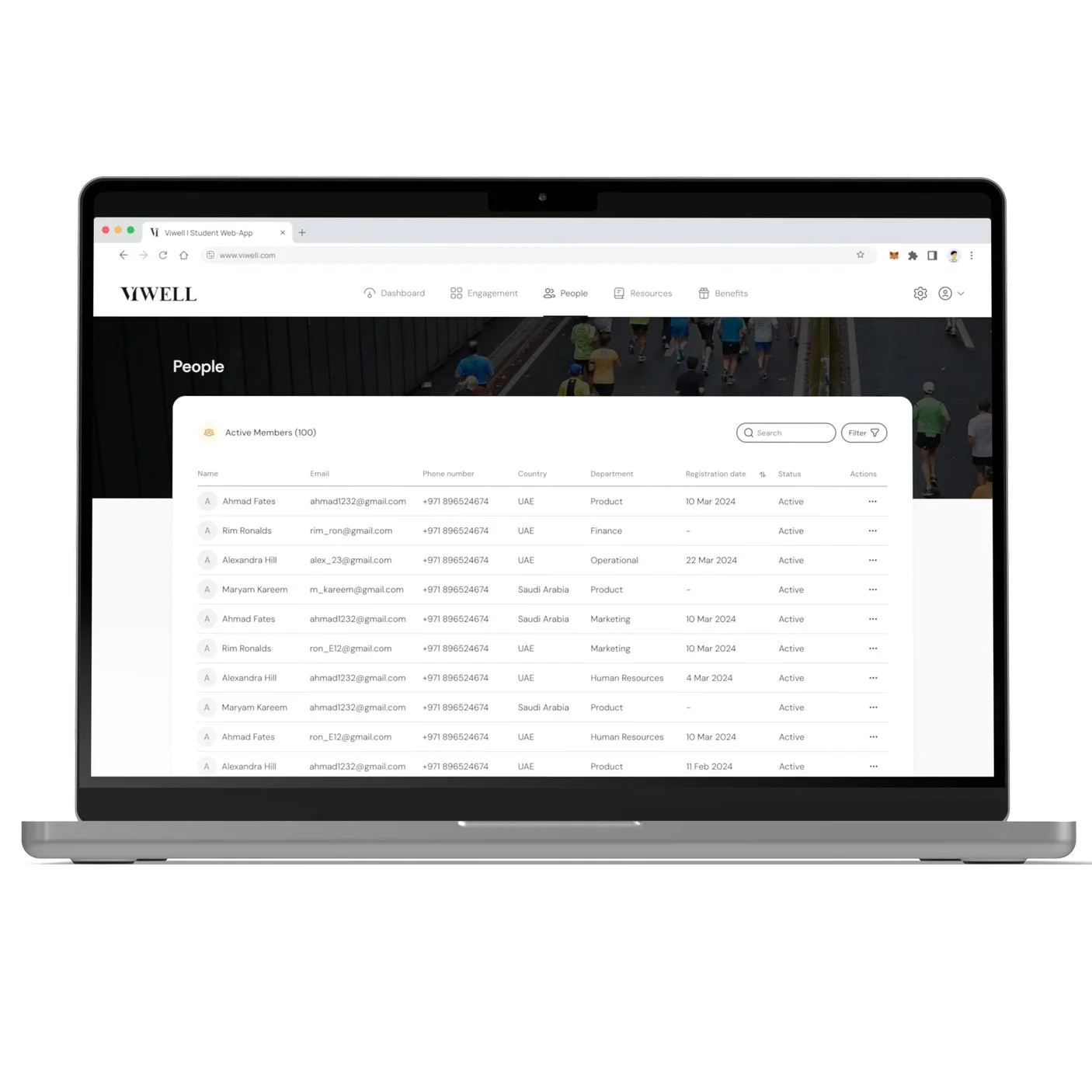
Go to People
Click on People in the header to view the list of employees who currently have access to the app.
Step 2
Search, Sort and filter the list
Search, sort and filter the list by employee name, registration date, and access status to easily find the relevant employees.
Step 3
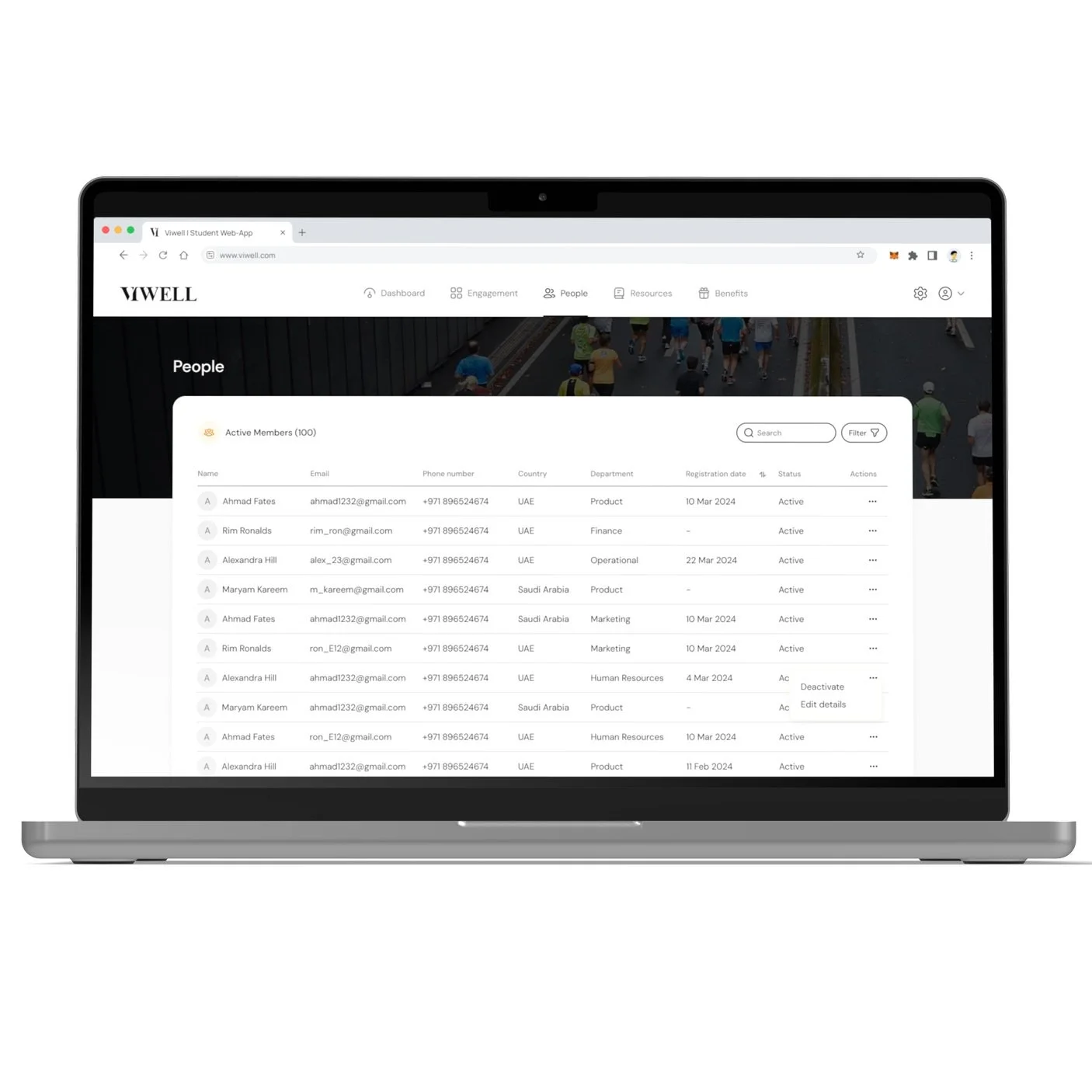
Deactivate an employee’s access
To deactivate access, click on the Actions menu next to the employee’s name and select Deactivate.
Step 4
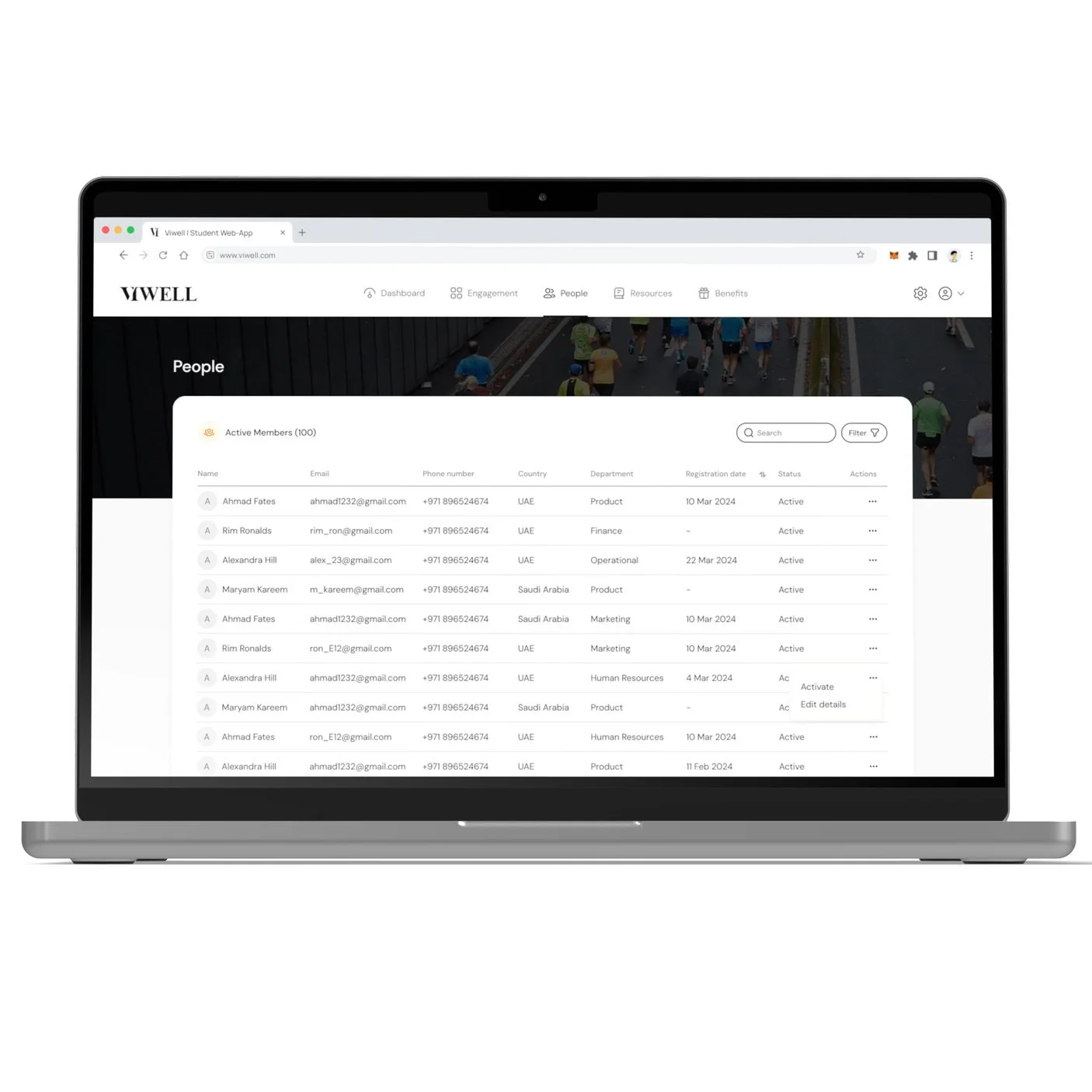
Reactivate an employee’s access
If an employee’s access is deactivated, click on the Actions menu and select Activate to restore their access.
