
Take assessment and see results
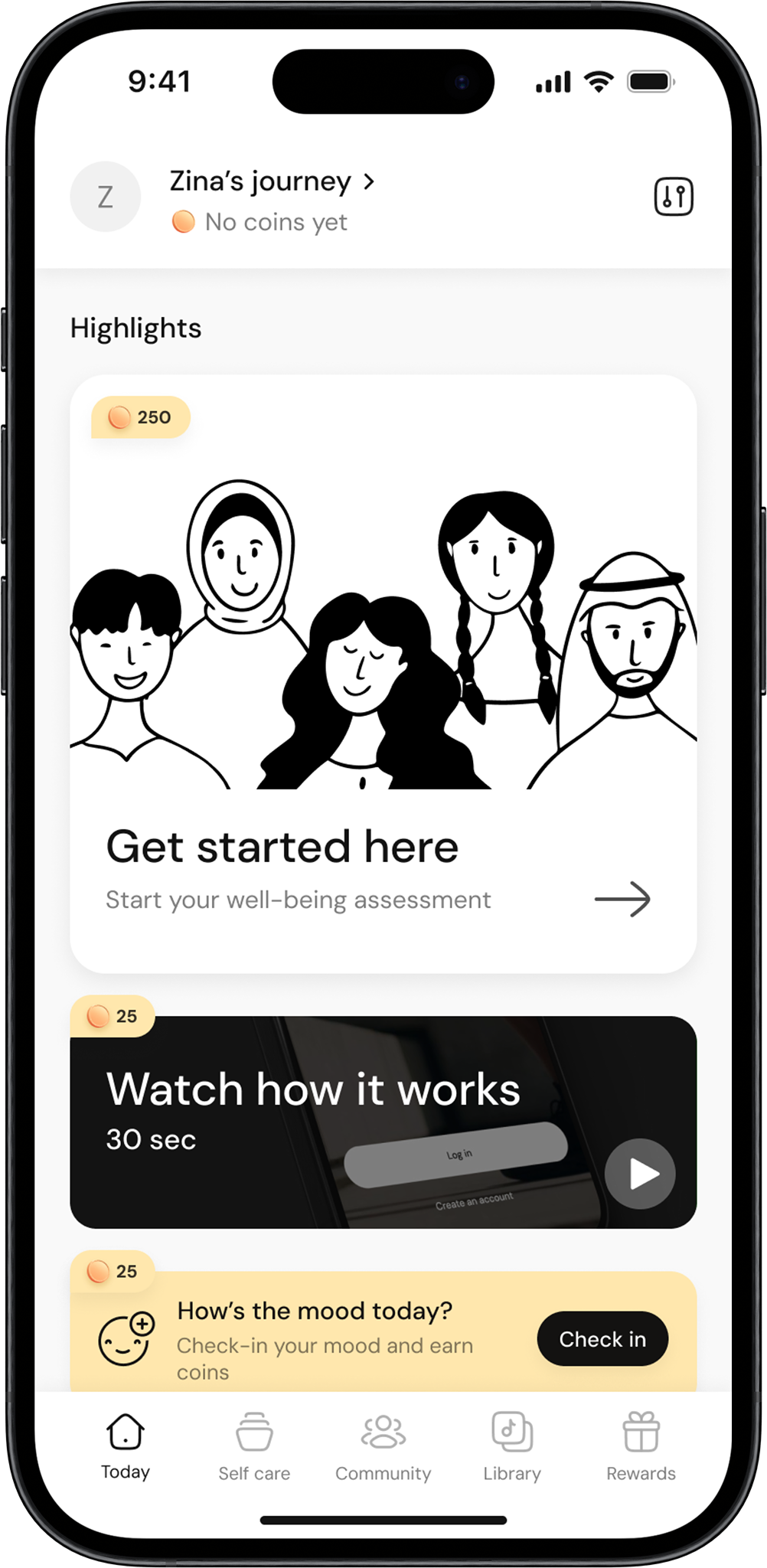
Start the assessment
Open the app and click on Start Assessment to begin.
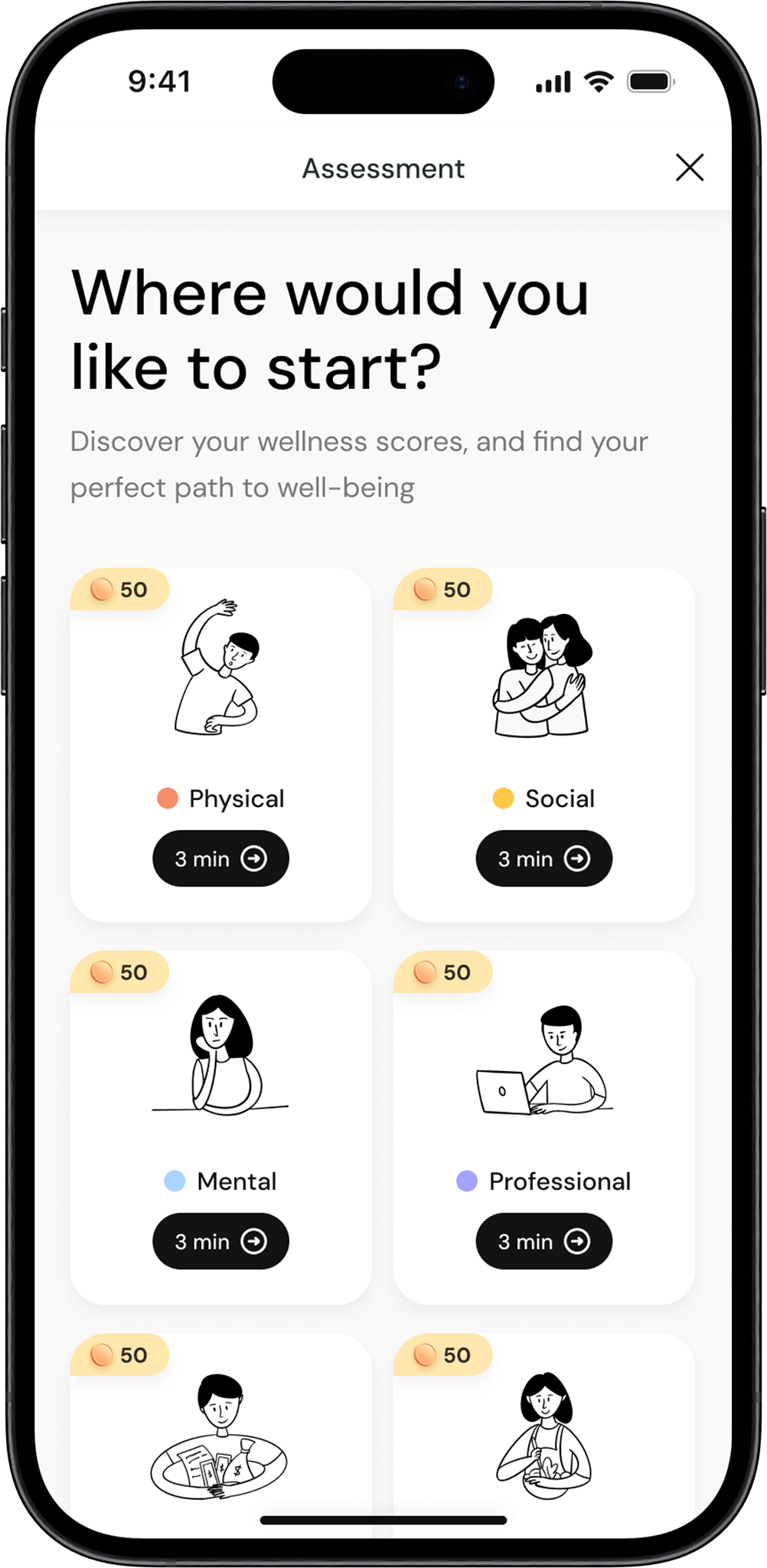
Select a pillar
Choose the first wellbeing pillar (e.g., Physical, Mental, etc.) to start answering questions.
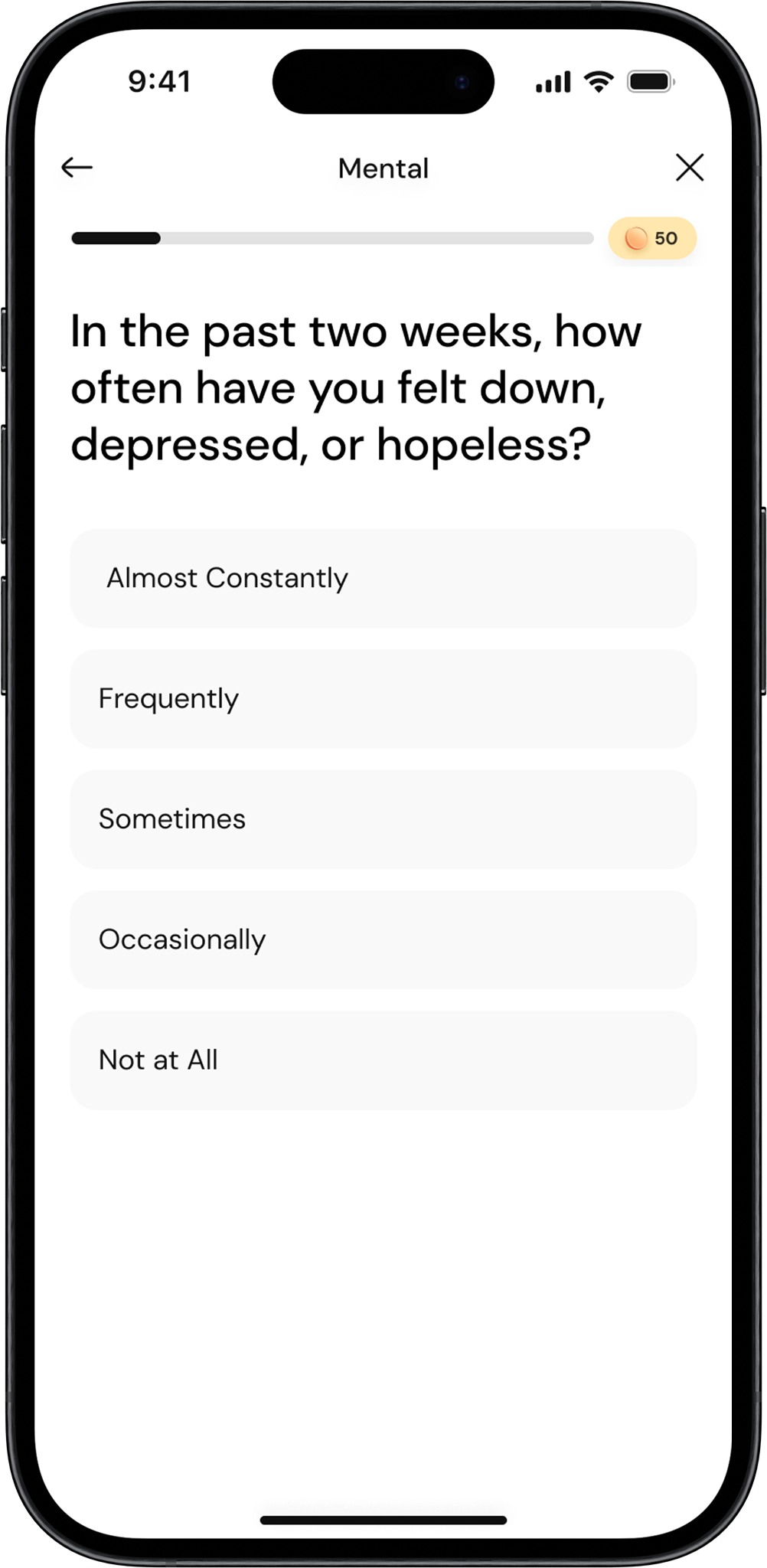
Answer all questions
Answer all the questions related to the selected pillar based on how you feel or your current situation.
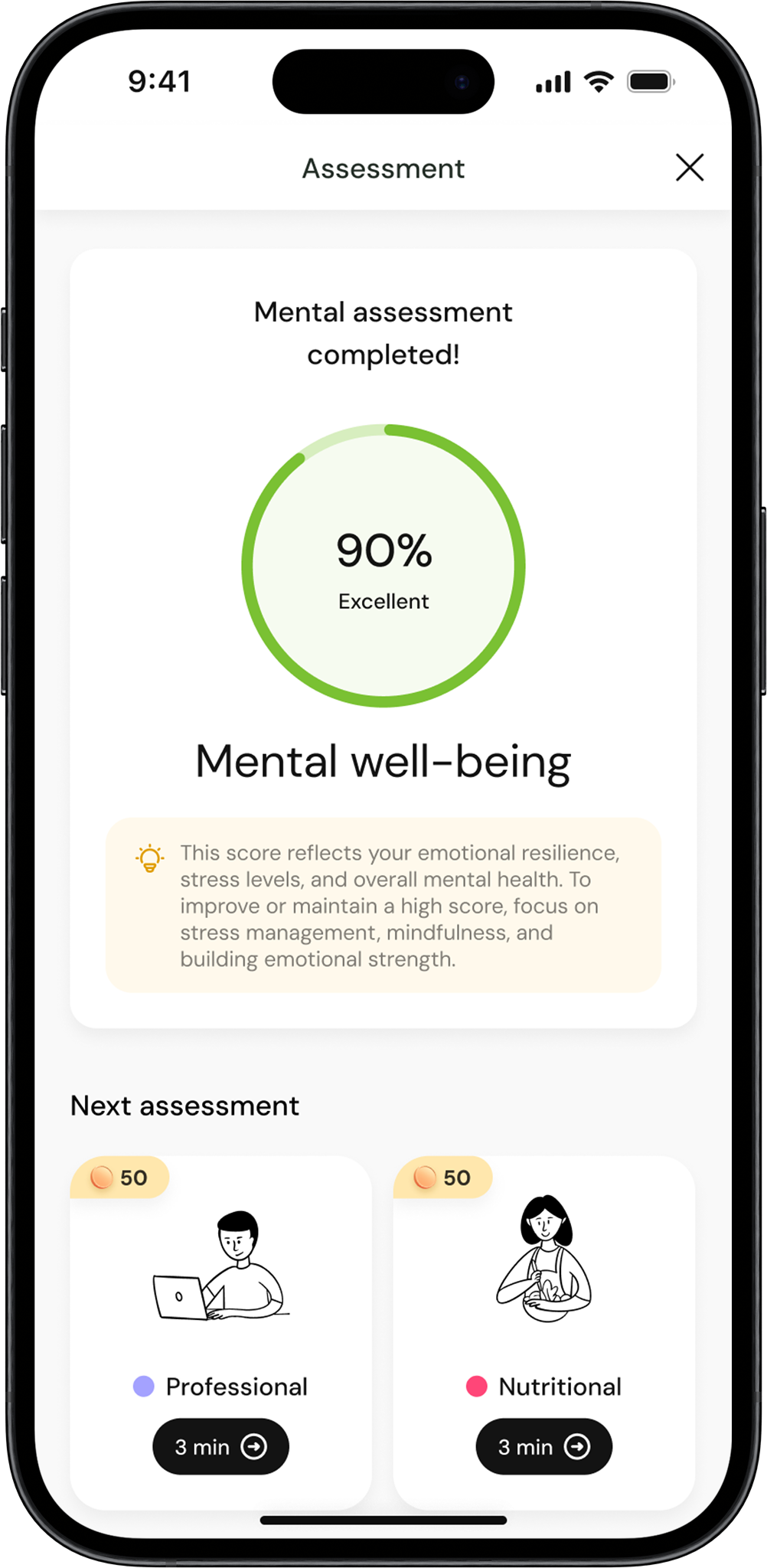
See your score for each pillar
After completing the questions for each pillar, you’ll see your score for that pillar, reflecting your wellbeing in that area.
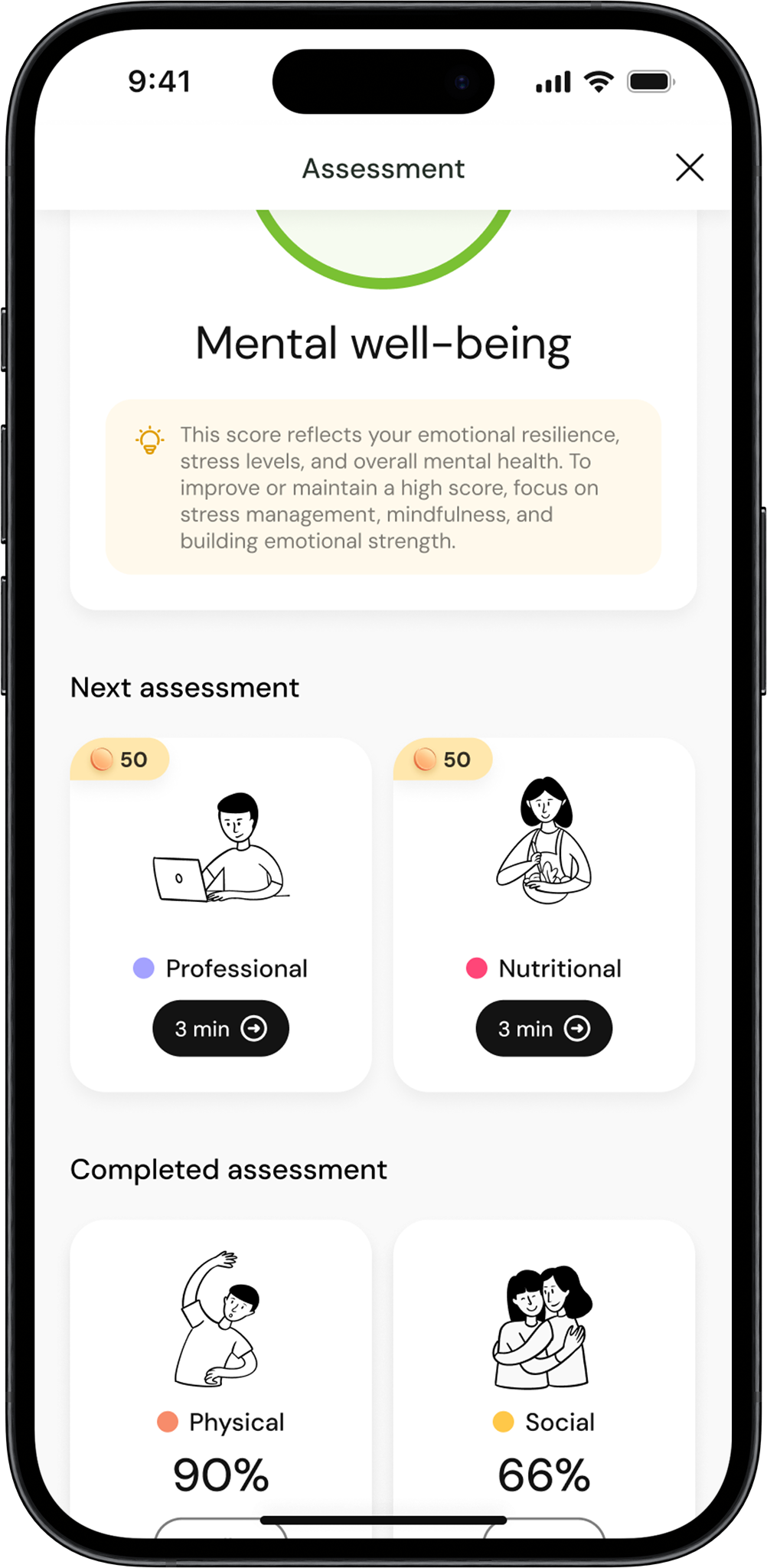
Choose the next pillar
After reviewing your score, click on to the next pillar and repeat the process.
Complete all pillars
Continue answering questions for all the wellbeing pillars until you’ve completed them all.
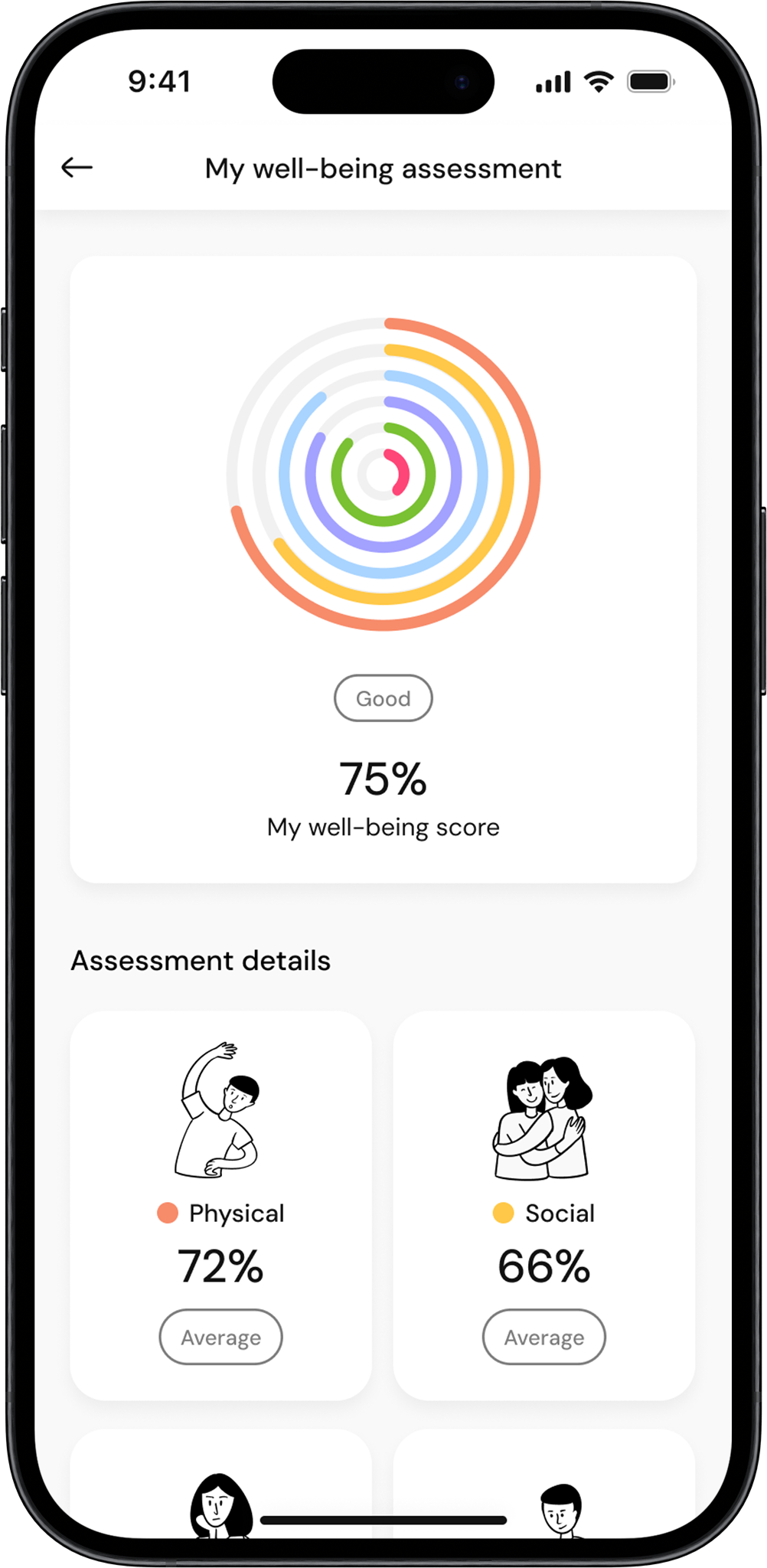
View your wellbeing score
Once all pillars are completed, your Overall Wellbeing Score will be displayed, showing the average of all your pillar scores.
