
Adding company details and uploading logo

You can easily customize your organization’s dashboard by updating company information, changing your logo, and adjusting the overall appearance to reflect your brand.
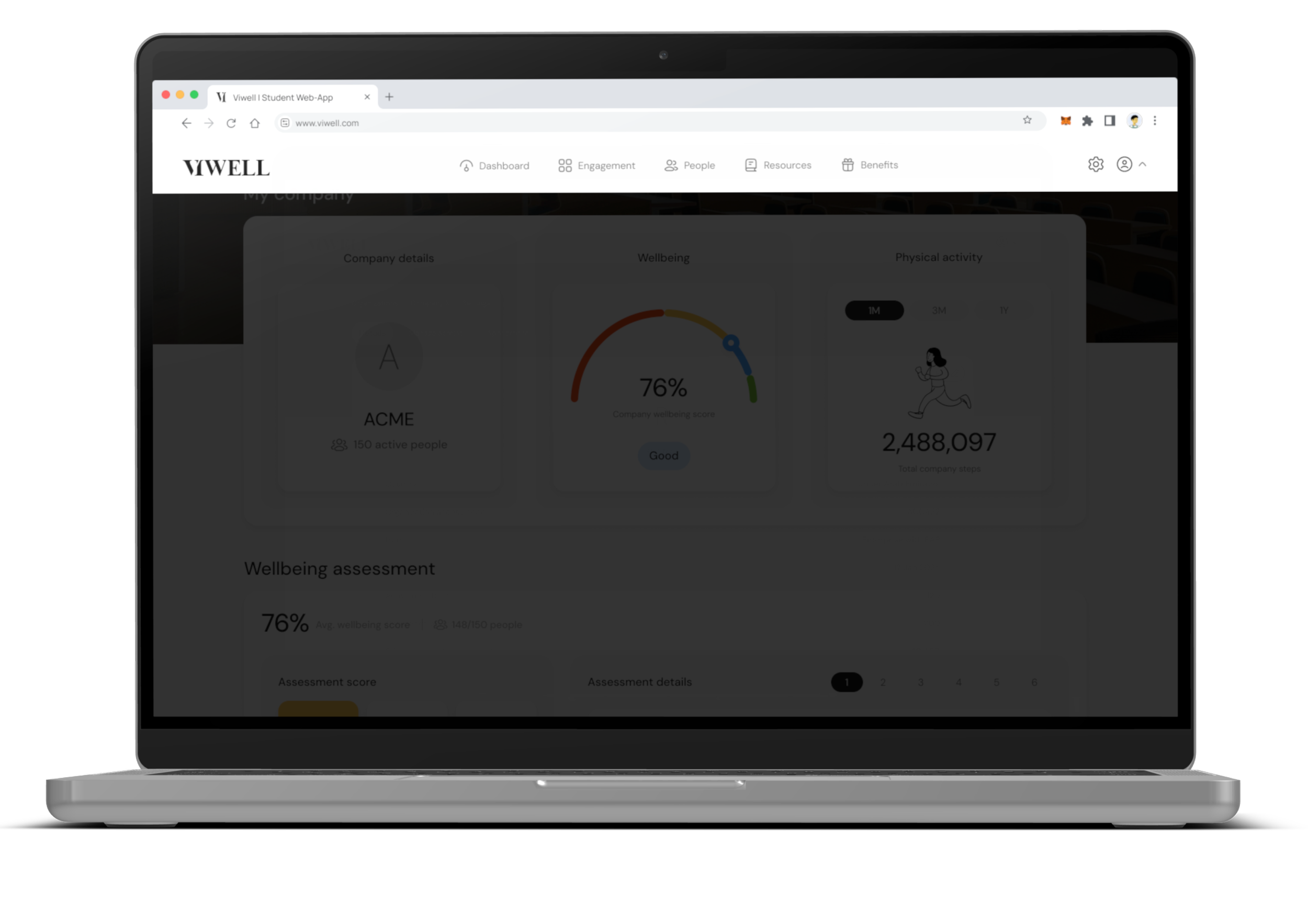
Step 1
Go to Org settings
Click on the Org settings icon at the top right and navigate to the Details tab.
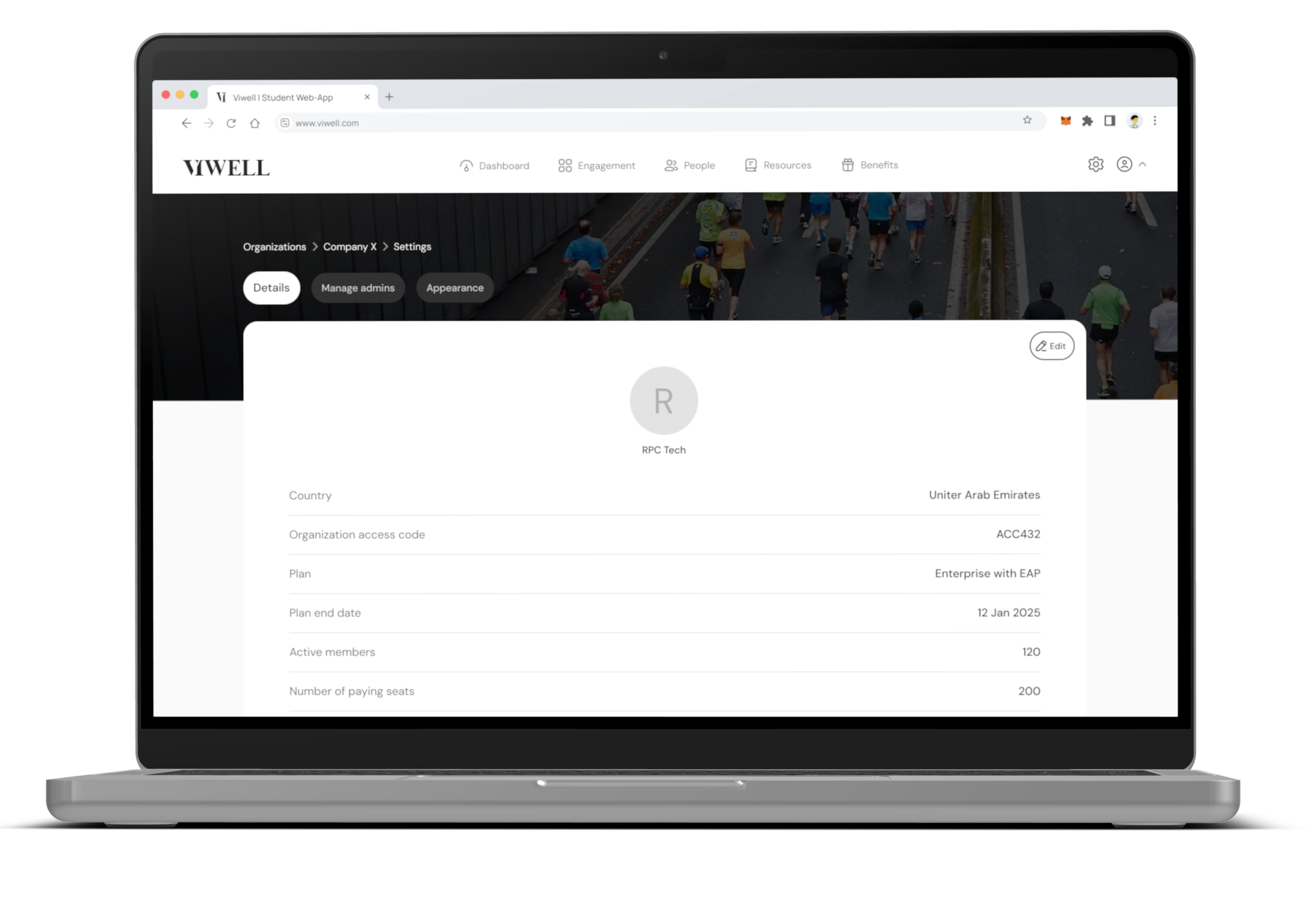
Step 2
Edit company details
Click on “Edit” to update your organization’s name and logo.
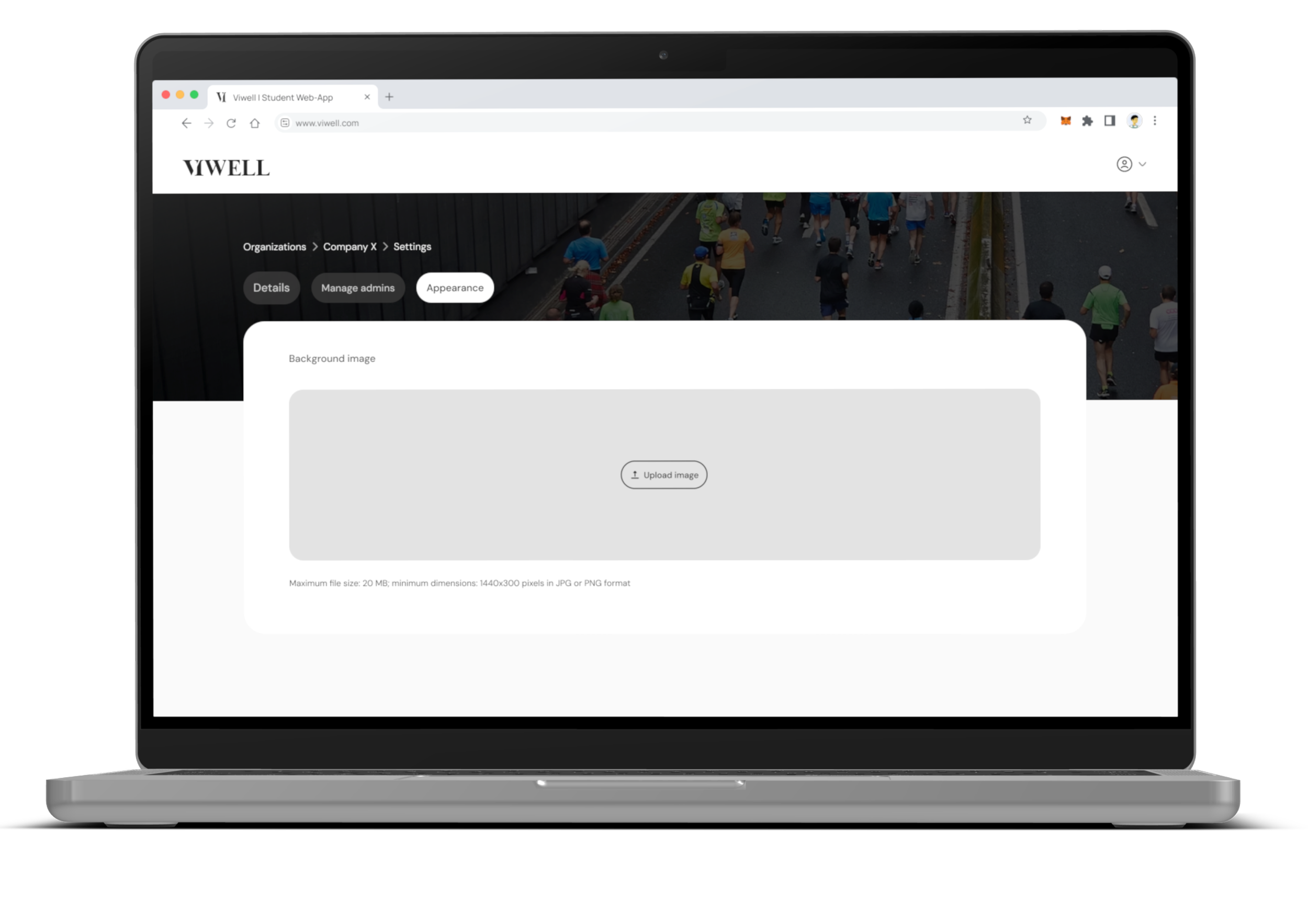
Step 3
Customize appearance
Click on the Appearance tab and upload your preferred background image to personalize the dashboard’s look.
