
View available benefits

Step 1
Access the Benefits Section
Log in to the Employer Dashboard.
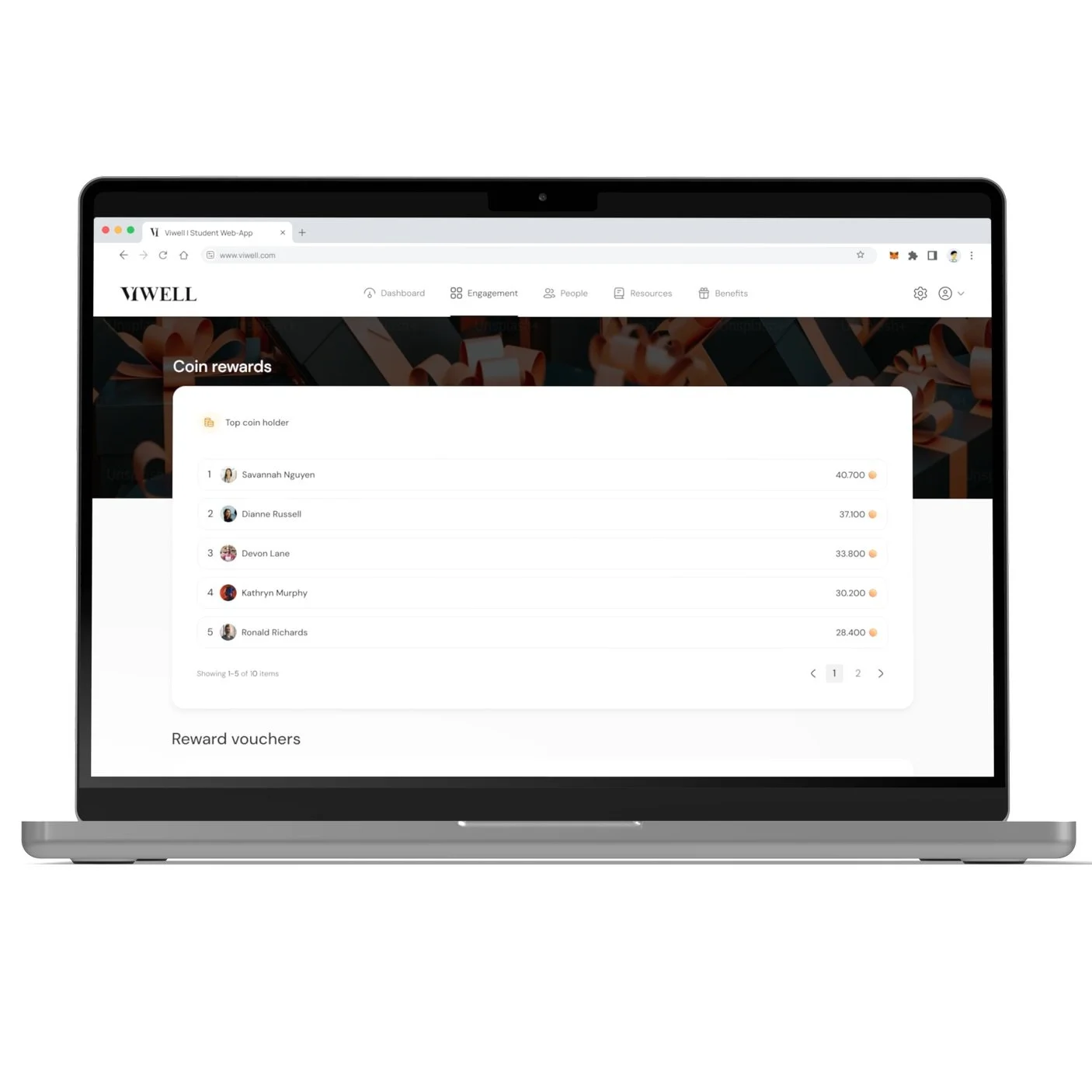
Navigate to the Benefits tab to view employee rewards and coins data.
Step 2
View Top Coins Holders
In the Benefits section, go to the Top Coins Holders section.
Here, you can see the all-time top employees who have earned the most coins.
You can use this data to recognize and reward top performers in your organization.
Step 3
Browse Available Rewards
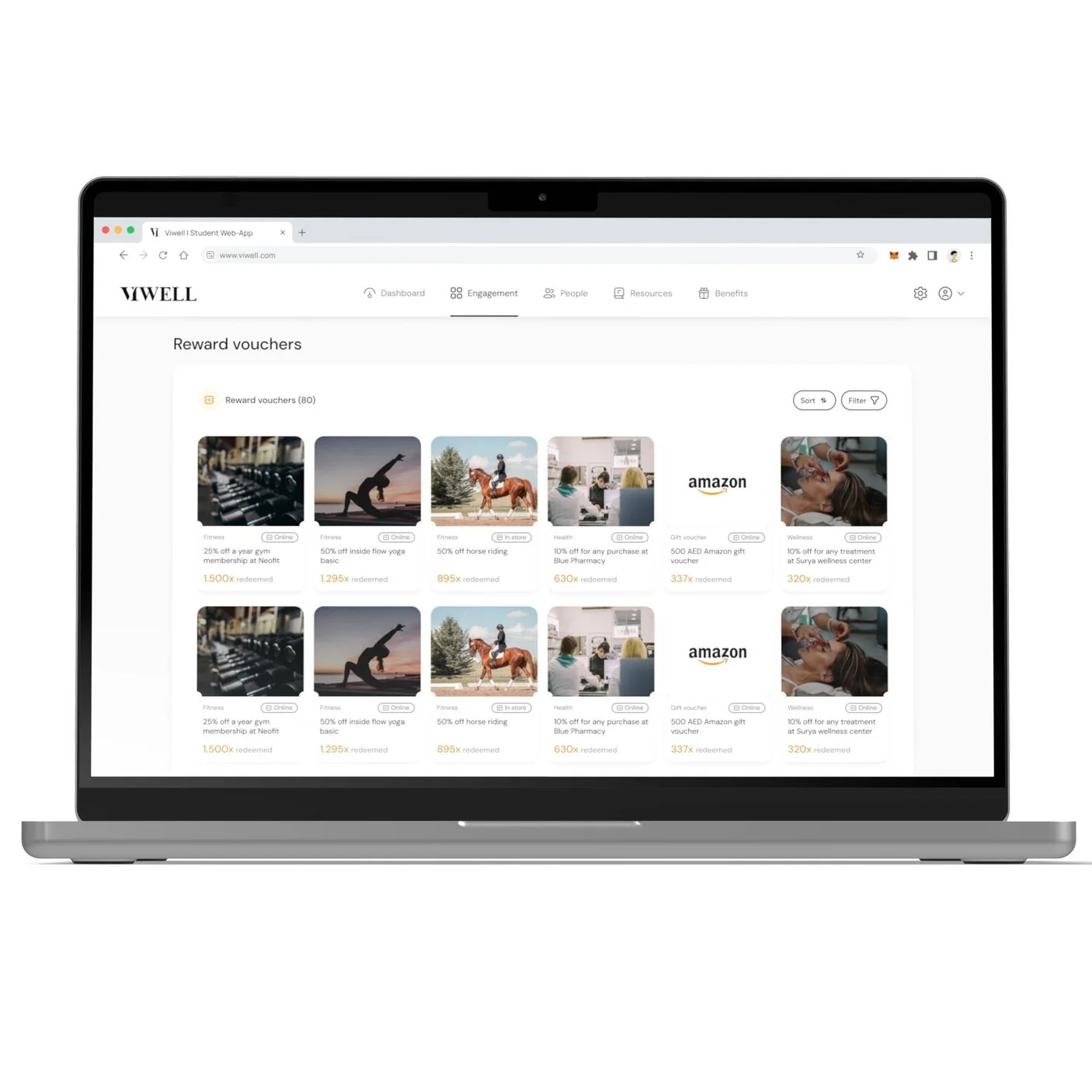
Below the Top Coins Holders section, you’ll find a list of available rewards for employees.
Use the filters to refine your reward search:
Country: Filter rewards based on the employee’s location.
Type: Filter by reward type (e.g., vouchers, in-store).
Category: Filter by reward category (e.g., lifestyle, wellness, food, etc.).
Step 4
See Reward Redemption Data
You can also view how many times a reward has been redeemed by employees.
This data will help you understand which rewards are most popular and being frequently claimed by your workforce.
