
How to: sign up and log in to your organization’s dashboard
As an admin, you will first receive an invitation from VIWELL to sign up and set up your account. Once complete, this will be the account you use to access your organization’s dashboard.
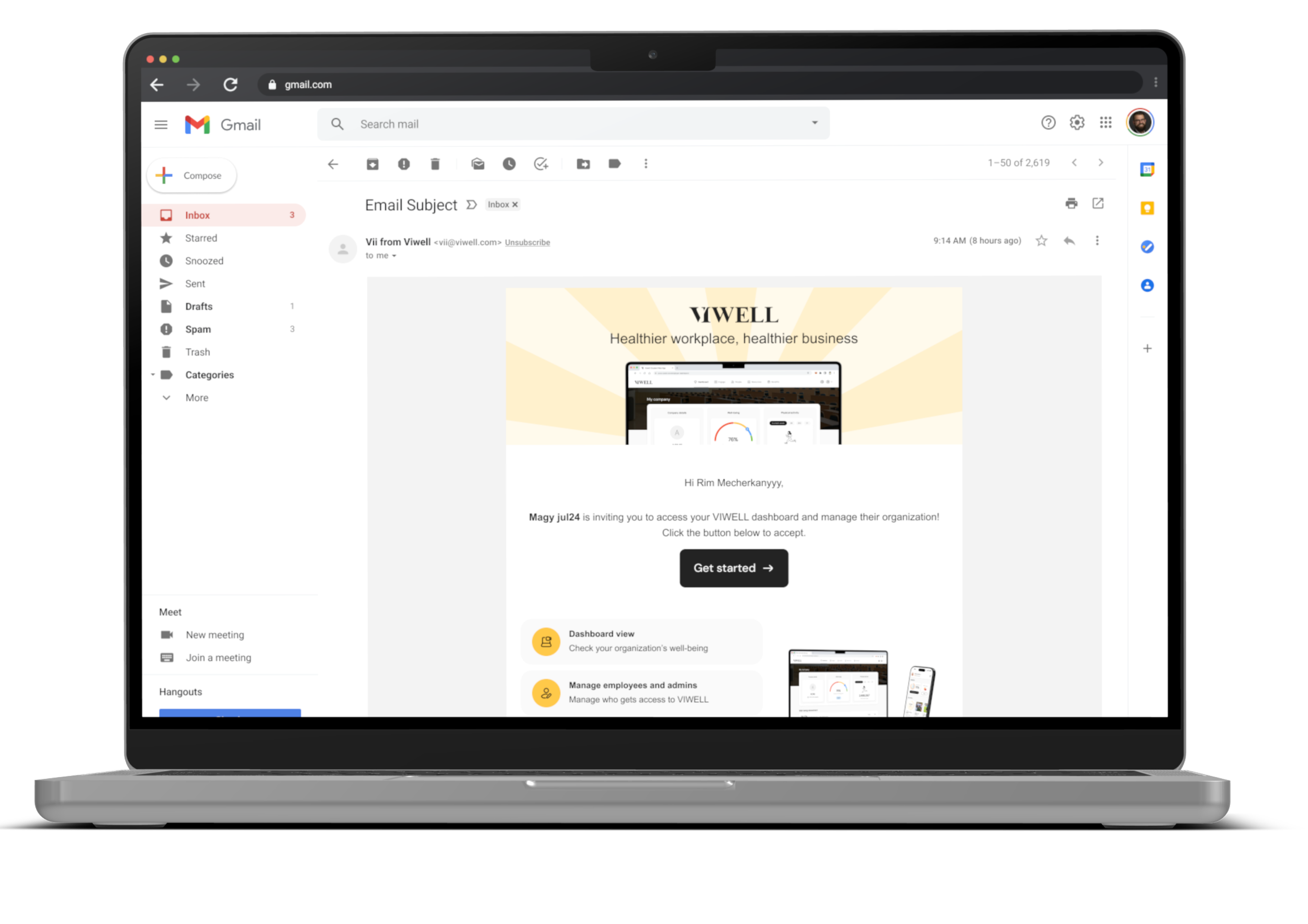
Receive the email invitation and click the link
Check your inbox for an invitation from VIWELL and click on the link to begin setting up your account.
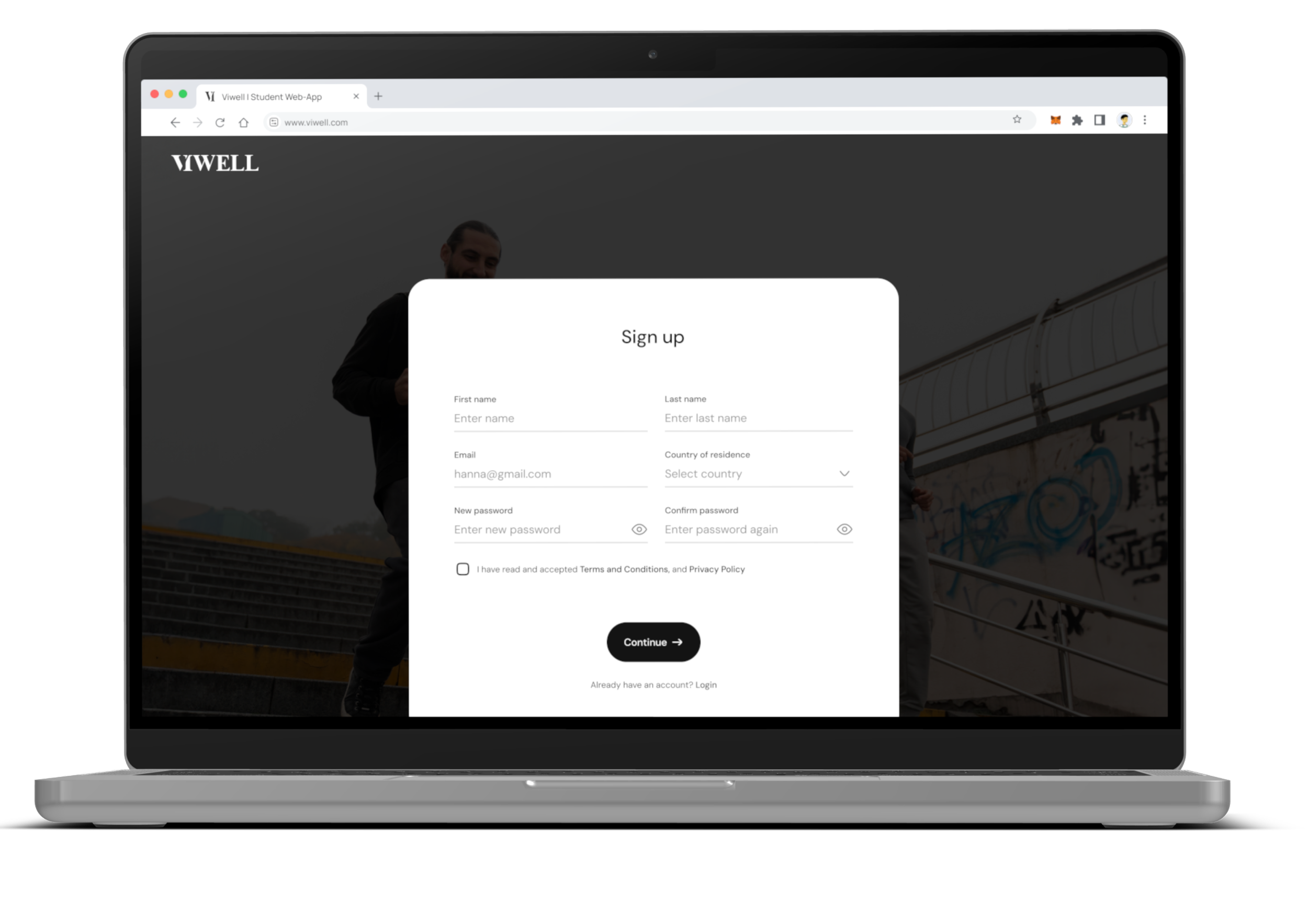
Set up your account
Enter your name, choose a password, and complete any additional setup details.
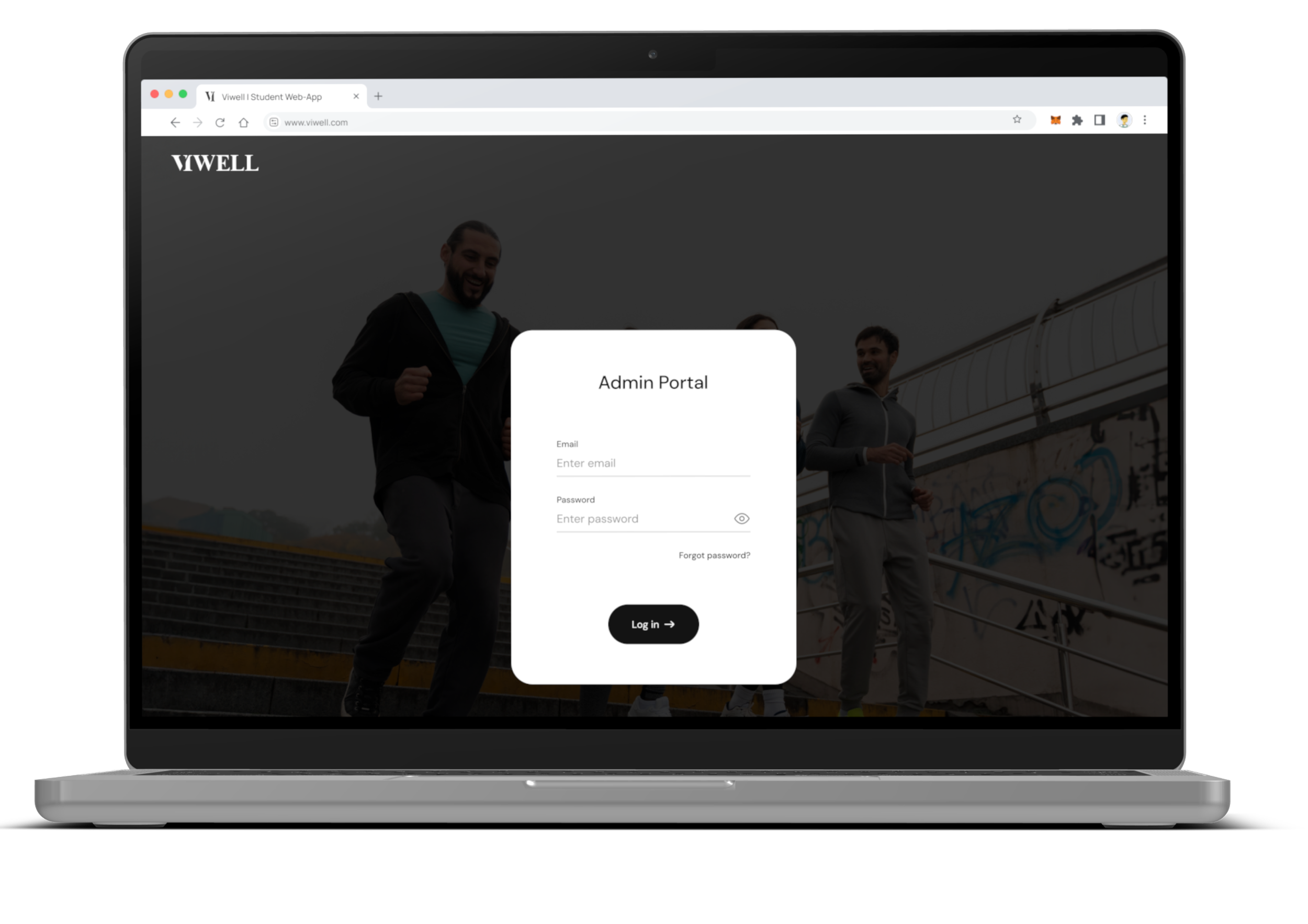
Log in with your newly created account
Use the credentials you just set up to log in to your VIWELL account.
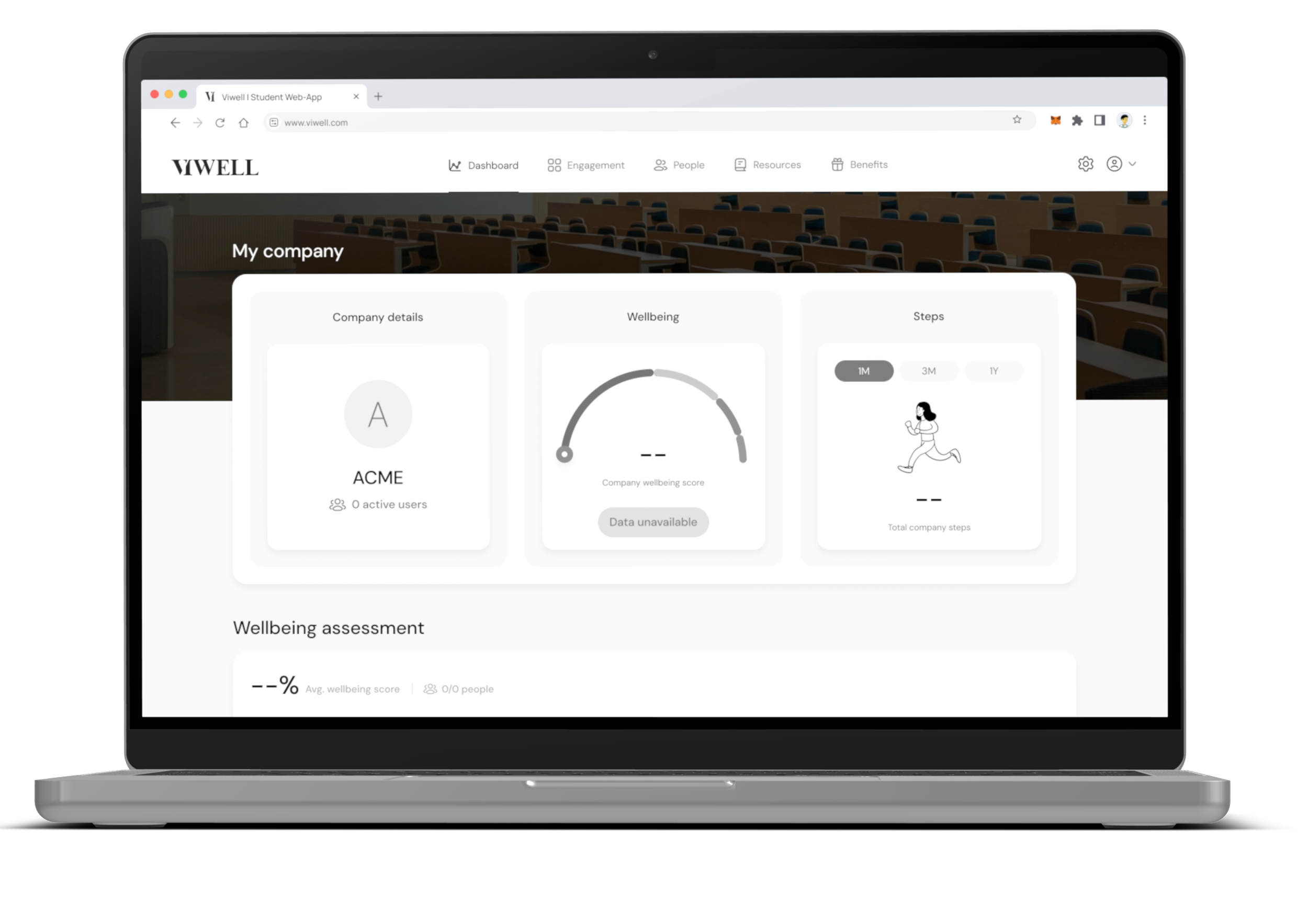
Access your organization’s dashboard
Once logged in, you will be directed to your organization’s dashboard where you can manage and view important data.
