
Understanding your dashboard insights

Gain valuable insights into your employees’ well-being through the various data points displayed in your dashboard. This helps you identify trends, tailor programs, and ensure your initiatives effectively support your employees’ well-being.
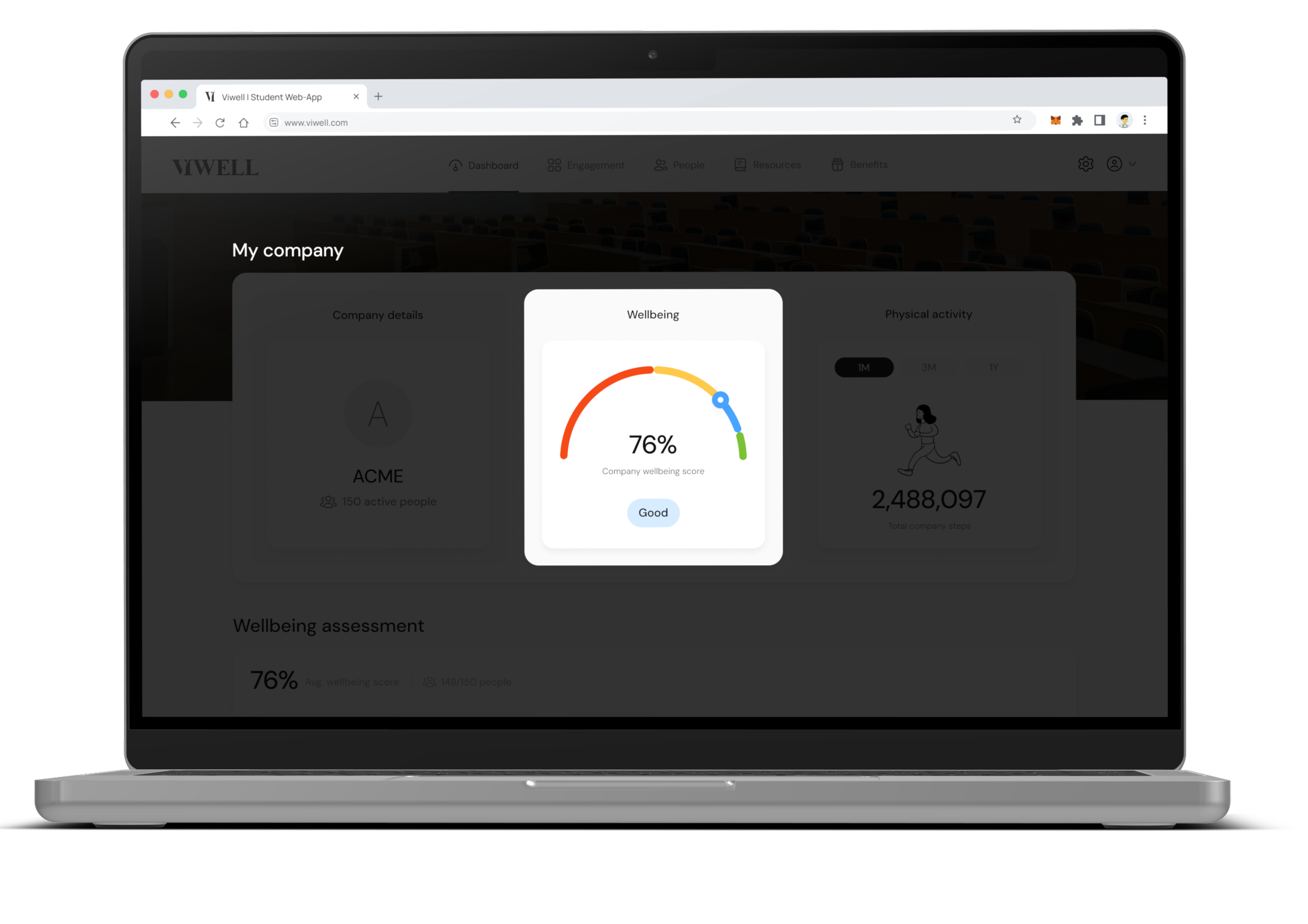
Org Wellbeing Score
This is the average score of all employees across the different assessments they have taken. To understand the details of this score, dive deeper into the Wellbeing Assessment detailed scores below.
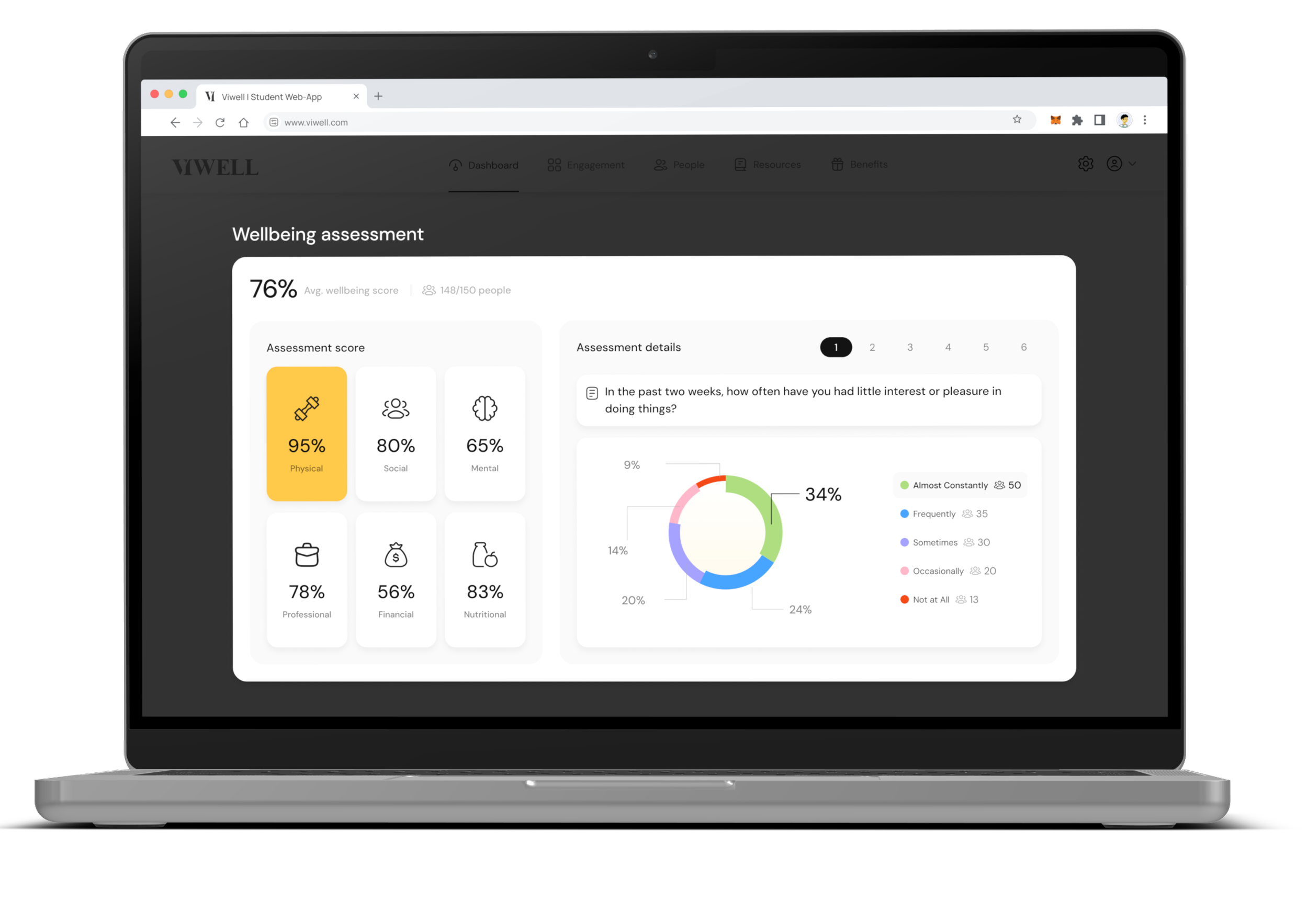
Wellbeing Assessment
View the average score for each pillar of well-being across all employees who have completed the assessment. This helps identify areas needing more attention, allowing you to tailor programs accordingly. You can click on each pillar to see the answers to individual questions and gain a deeper understanding of your organization’s scores.
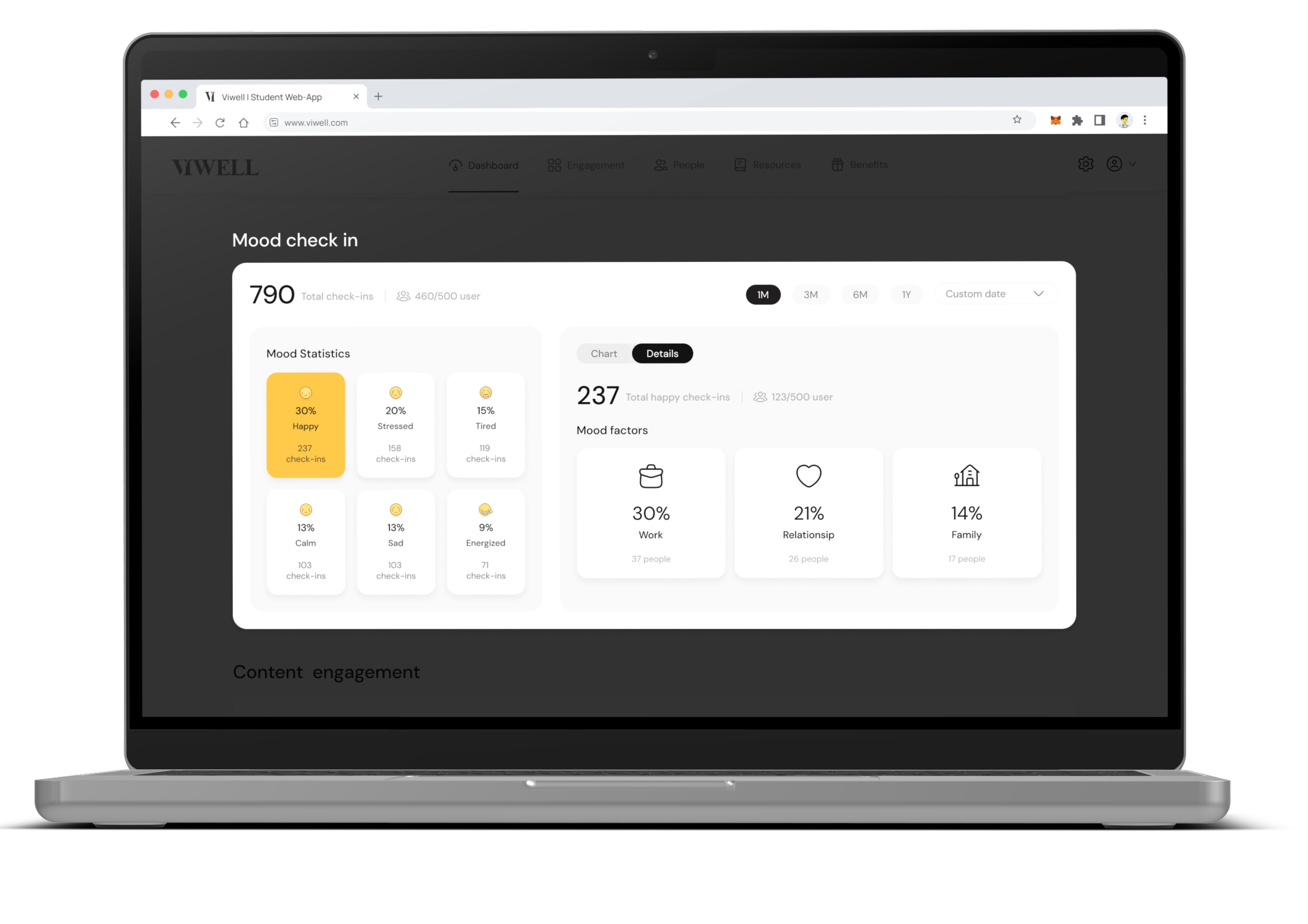

Mood Check-in
Review how your employees are feeling and identify trends related to each mood. Look for patterns, such as happier days to announce updates and stress-prone days where stress-relief activities might be helpful. Click on the Details tab to explore the factors affecting each mood and gain insights on how to improve employee well-being.

Content Engagement
Analyze which content your employees are engaging with the most to identify areas of interest. Tailor your programs based on this data — for example, if employees are learning about budgeting, consider bringing in a financial expert, or if they’re engaging with soundscapes during stressful days, add meditation sessions.
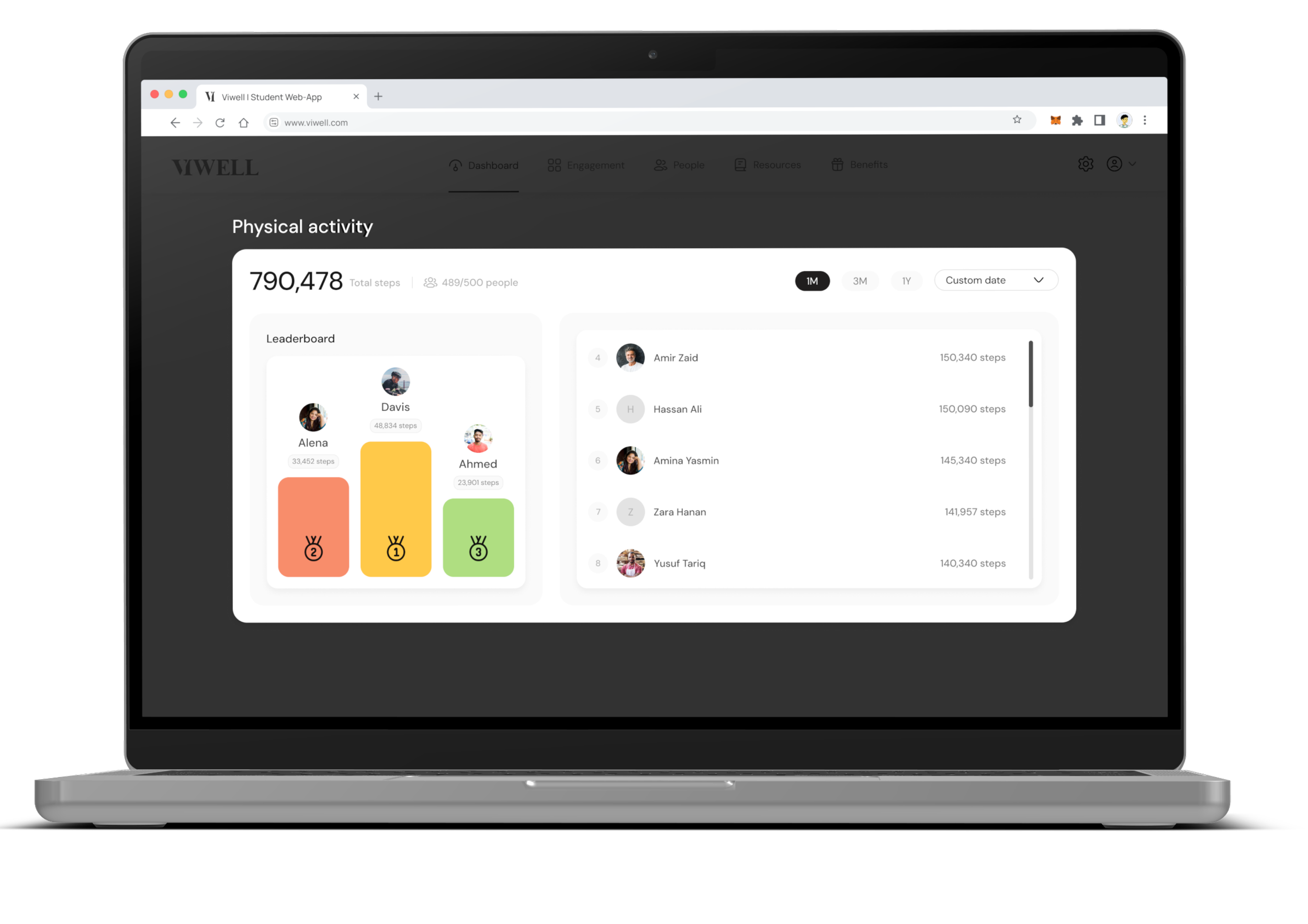
Physical Activity
Track employee activity through the steps leaderboard. Recognize and reward your most active employees, and create a sense of healthy competition that encourages all employees to develop healthy physical activity habits.

Changing timeframe
1M: will show you the history of the current month
3M: will show you the history of current month and the 2 months preceding it
1Y: will show the the history of the last 12 months
